Courts · members · coaches · events · money
Your whole club, in one app.
Court booking, the front desk, memberships, coaches, tournaments and payouts, without the spreadsheets, group texts and five logins. These are the real screens your members and staff use.

A day at the club
Every booking, open-play spot and membership follows the same path and ends as money in the club owner's Stripe account and a line on the club's dashboard. Entry fees go to the Stripe account of the event's organizer, which is the club's when the owner runs the event.
- A member booksIn the app, or a guest on the club's public page. The club's rules and prices apply.
- They payCard checkout. Each player can pay their own share; a receipt goes by email.
- They check inThe front desk taps their name. A no-show marked at the desk counts toward that member's no-show limit automatically.
- They playA court, open play, a coach's class or a club event, scored live.
- The club is paidPaid out automatically to the club's own Stripe account. Refunds follow the club's rules.
- The manager sees itDashboard: revenue, card fees, tax when on, court use and no-shows, with CSV export.
Want the whole week, screen by screen? Every club tool, screen by screen walks through setting up the courts and their hours, how members and guests reserve, how coaches work, an evening of open play and league, and the first of the month closing itself.

Courts that book themselves
Members book from the app. Guests book from your public page with no account. Everyone sees the same live grid, so the phone at the desk stops ringing.
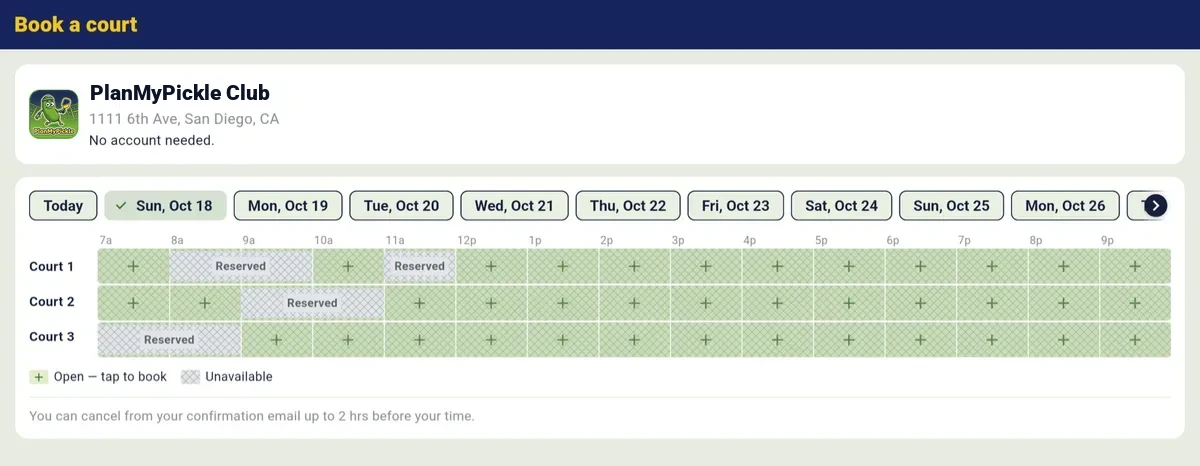
- Prices and prime time. Standard and prime-time rates per court, priced by the slot (60 minutes, or shorter steps you choose), with member and guest prices.
- Split pay. Each player pays their own share, or one person covers the court.
- Standing bookings, packages and promo codes. The weekly Tuesday group books once.
- Closures that clean up after themselves. Close the club for a day or longer: every booking on those days is cancelled, the court price refunded (the card-processing line is not) and the players told why.
- Rules the app enforces. Opening hours, how far ahead members and guests book, daily and weekly limits, members-only courts, cancellation cutoffs, late-cancel fees and no-show limits.
- Waitlists. A freed slot is offered to the next person in line.
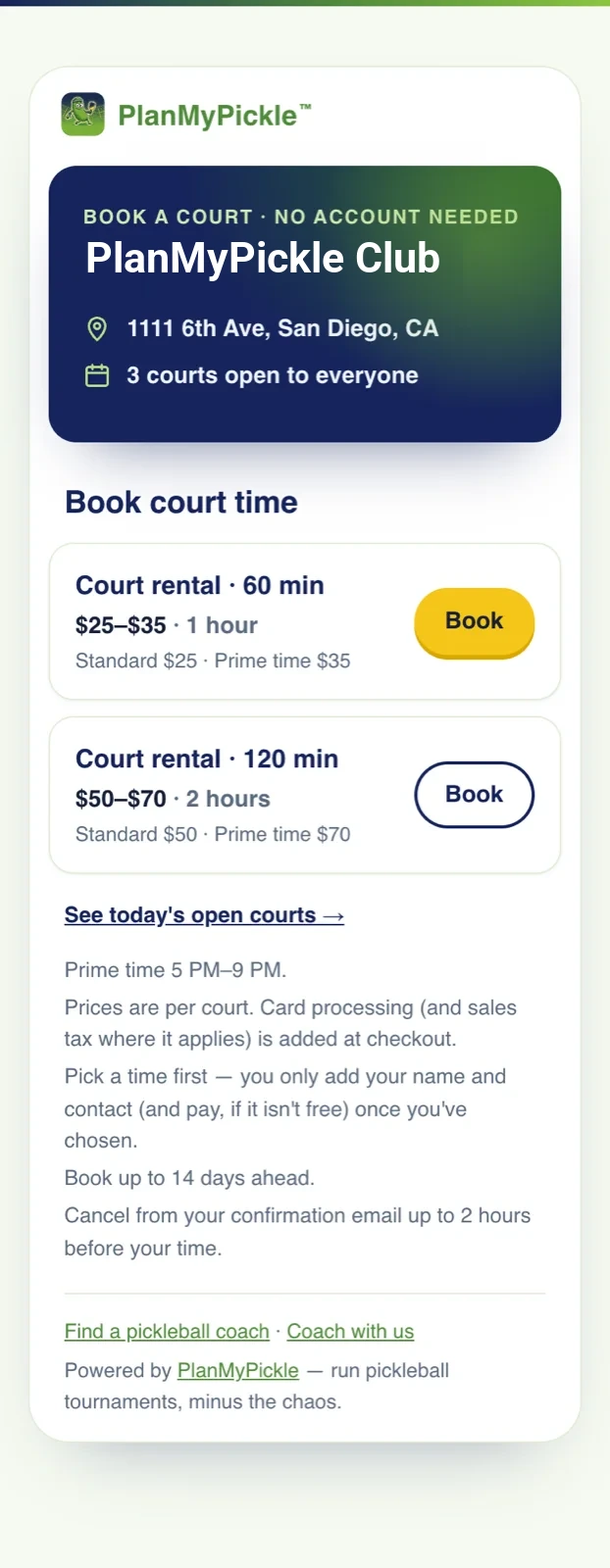
Your public booking page. No account needed.

A front desk on any tablet
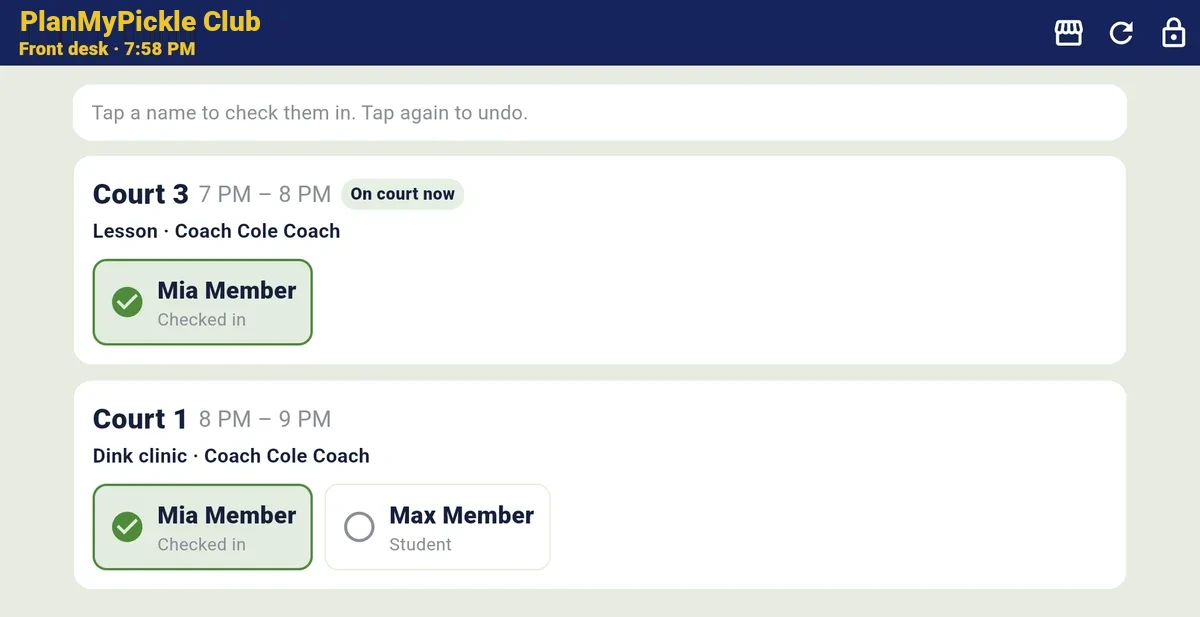
Staff tap a name to check someone in. Lessons, clinics and court bookings for right now are on one screen, and a no-show you mark counts toward that member's limit automatically.
- Open play sessions with check-in at the door and no-shows marked.
- Memberships with tiers, online dues, a waitlist when a tier fills, and household plans with one payer.
- Member files with notes, flags, no-shows and cancellations, and a people report (visits, bookings, spend) for owners and co-owners.
- House accounts: members charge courts and the pro shop to a tab, with a monthly statement.
- Pro shop and rentals with stock and refunds (sales tax when it switches on).
- Waivers signed in the app before a member books, when the club requires one, and kept on record.
- Co-owners and front-desk roles. Demote someone and their access ends at once; hand the club to a new owner and the old one loses access at the end of the business day.
Tap a name. Checked in.

Coaches, on your terms New
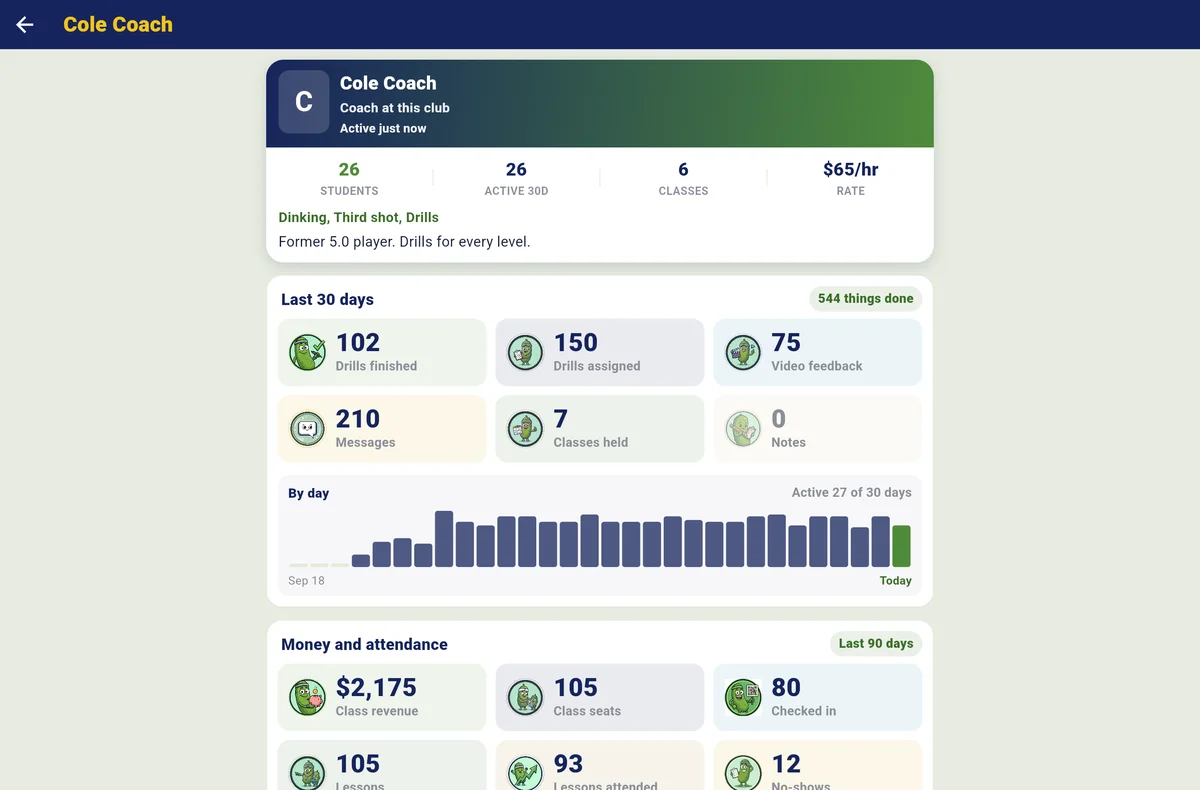
Your coaches run classes and lessons on your courts, and you see what they're doing. You set the rules: a court fee per coaching hour, member prices for classes and lessons, the club's share of paid lessons and classes (a percentage or per lesson-hour), and your OK before anything new goes on the calendar.
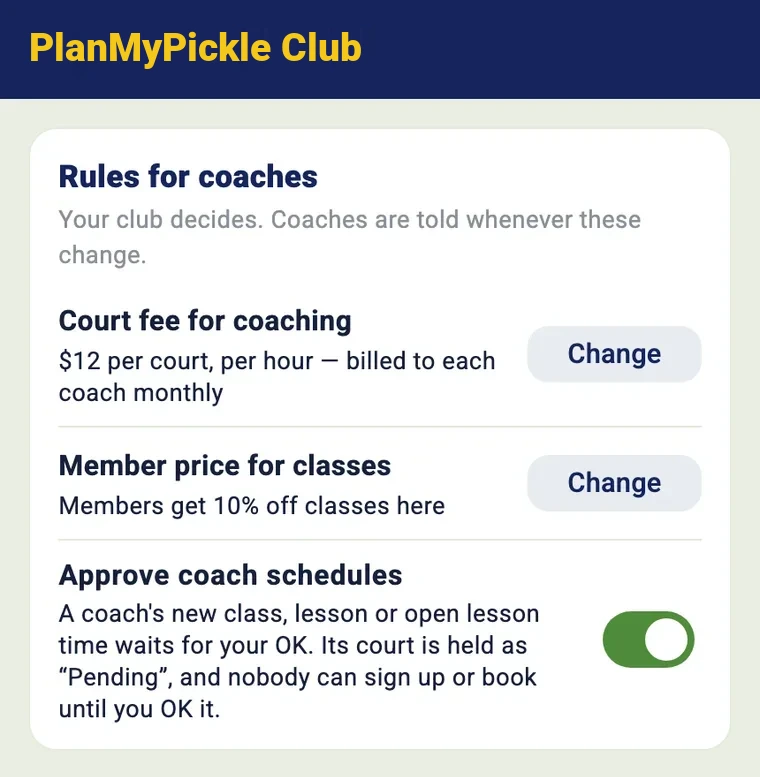
Rules for coaches
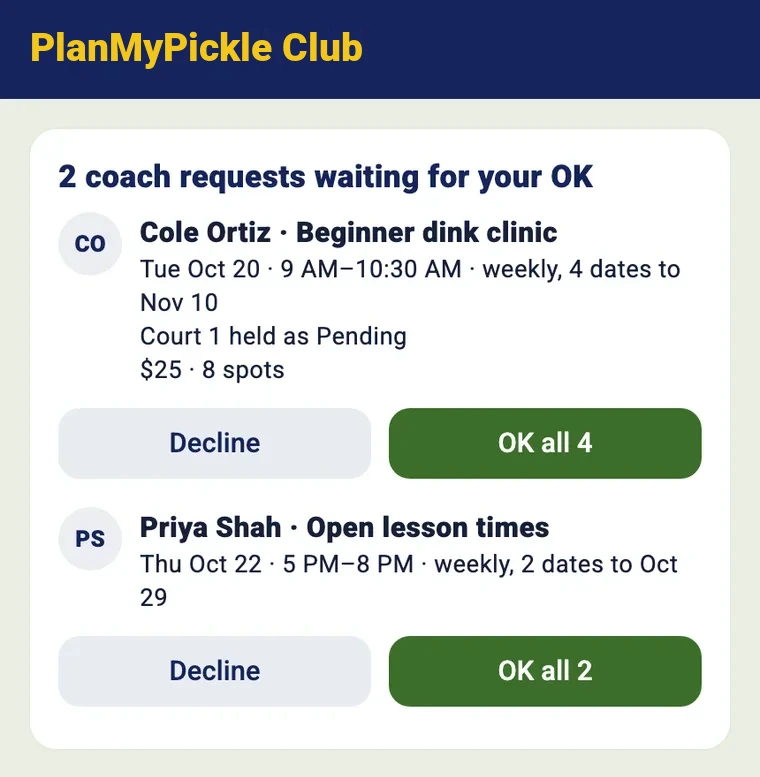
Requests on the club's Home
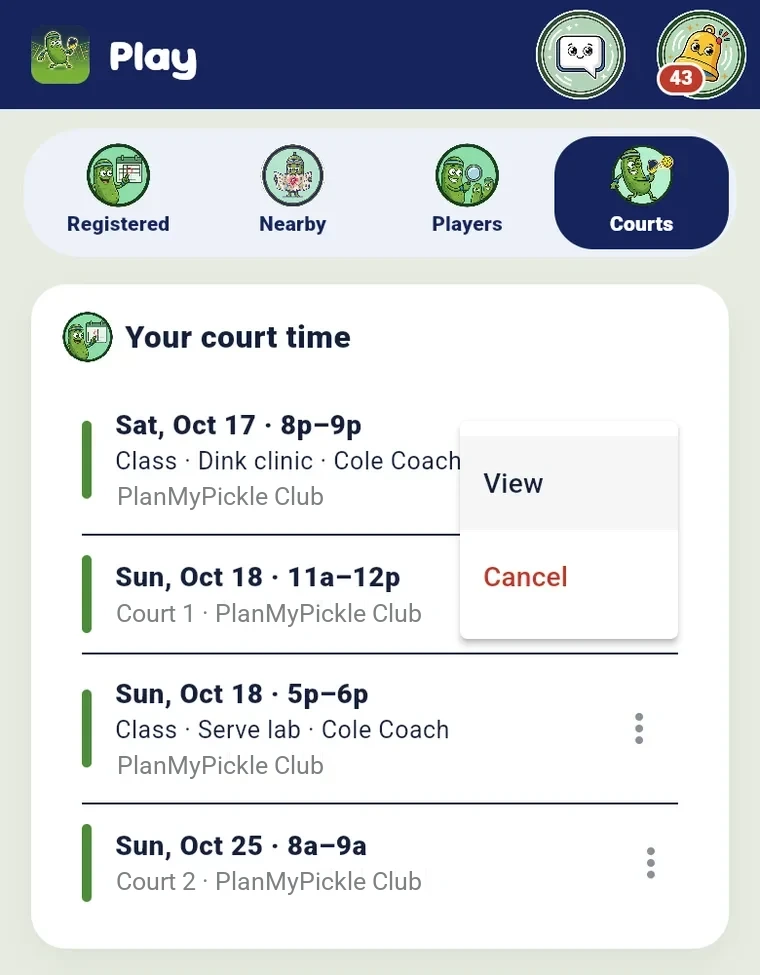
Classes hold their courts
- Paid lessons. When a coach turns it on, students pay as they book; lesson credits are used first, and cancels and declines are refunded.
- Coach pay report. Each coach's lessons, classes, what students paid, the club's share and what's owed, with a CSV and Settle.
- Subs, cancels and hand-overs. Put another coach on for a session, cancel a class with full refunds (card fee included), or hand a leaving coach's students to another coach.
- Standing court time for a coach every week, and a Coaches layer on your calendar.
- Classes open to visitors at a public club, at the full price or a visitor price you set.

Your club in every member's pocket New
Each member carries a pass and a home card, players find you on the map, and your club can sit on their home screen as its own app.
- Member pass. A QR the front desk scans to check a member in, showing their plan and whether it's active. Paused, expired or no membership: the desk decides. (Club+)
- Member home card. Their next booking, package balance, guest passes and anything they owe the club, with a Pay button. (Club+)
- Find a club. Public clubs by name or city, on a map, with a page for each city on planmypickle.com. Private clubs are never listed.
- Your own club app. Your colours, name and icon on members' home screens, with a link and a QR picture to share.
- Private clubs stay private. Someone outside the club sees only its name and logo.

Every dollar, accounted for
Payments go through Stripe Checkout straight to your club's own Stripe account, and from there to your bank; card data never touches PlanMyPickle. PayPal and Venmo checkout, paid into your own PayPal Business account, is built and in PayPal's partner review: once approved you choose Stripe, PayPal or both, and players see only what you turned on. Until then, an organizer can post a Venmo or Zelle handle on an event and confirm those payments by hand. Every court booking, membership and pro-shop sale writes a receipt, and the dashboard shows what came in, what Stripe kept on renewals, the tax you collected (once sales tax is switched on) and what the club keeps.
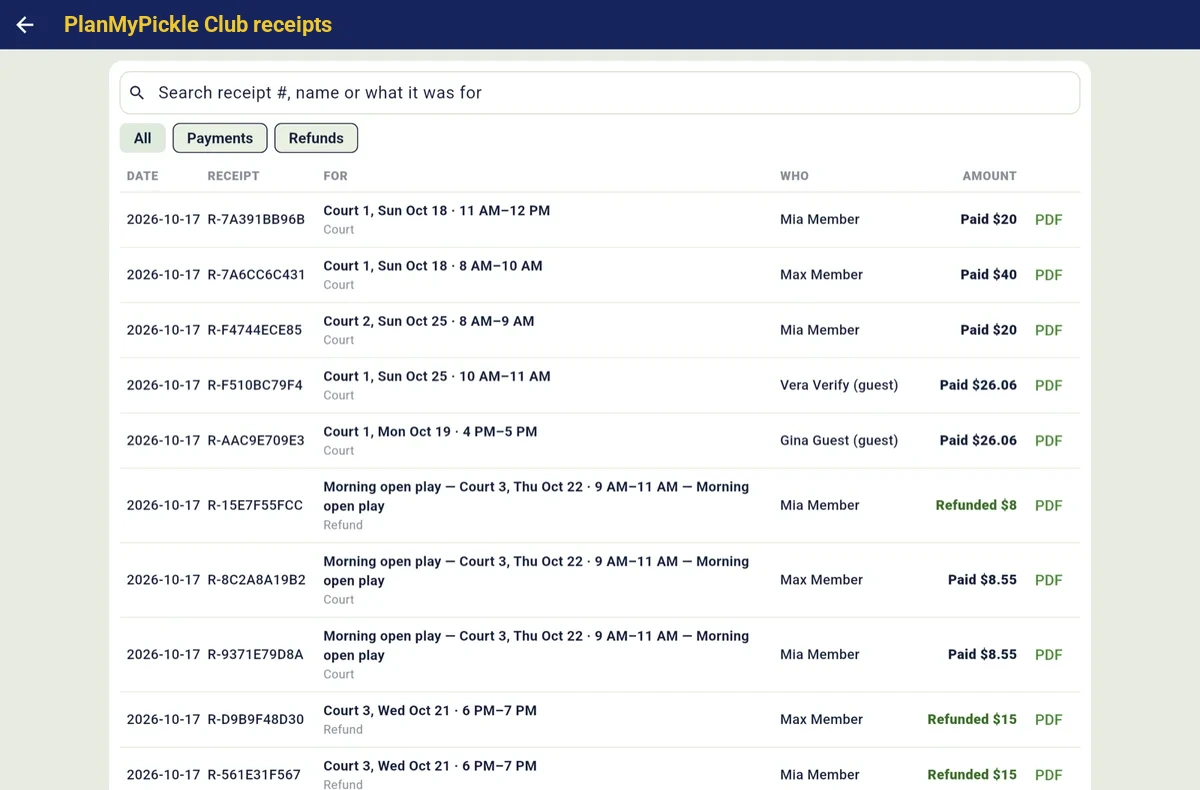
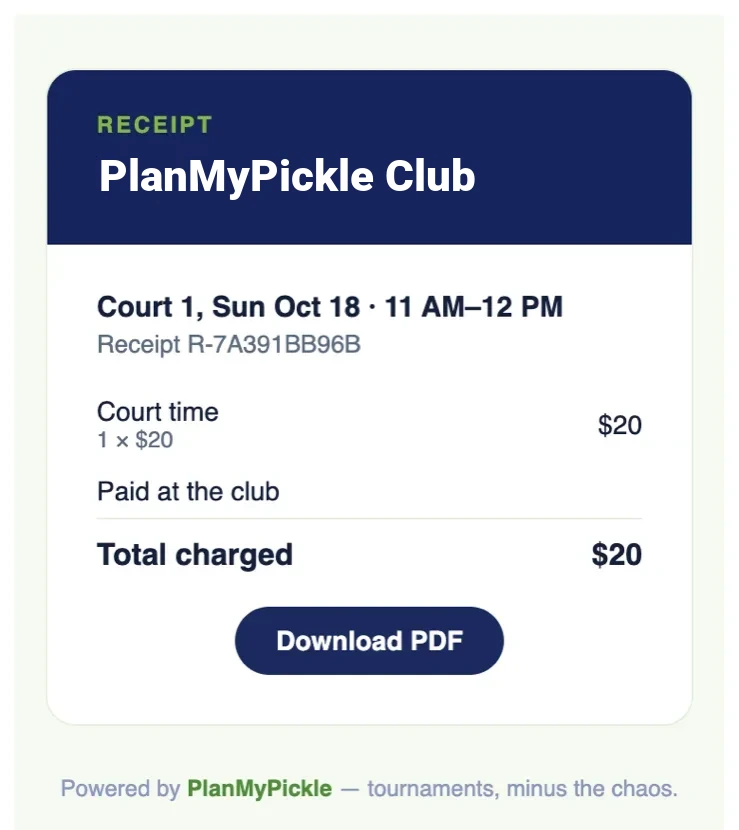
- Invoices with a Pay link, for companies, schools and members.
- Sales tax at your rate, where it applies (built; switching on after the tax review).
- Refund a membership straight from its receipt.
- Dashboard (below): members, revenue, court use and no-shows, with a CSV for every block.
The club Dashboard
Manage → Dashboard. Headline numbers with trends, net revenue against the period before, the money waterfall from what players paid to what the club keeps, revenue by source, churn and retention by join month, court use by court, hour and weekday, open-play fill and no-shows, for this month, last month, 90 days, the year or any dates, with a CSV for every block.
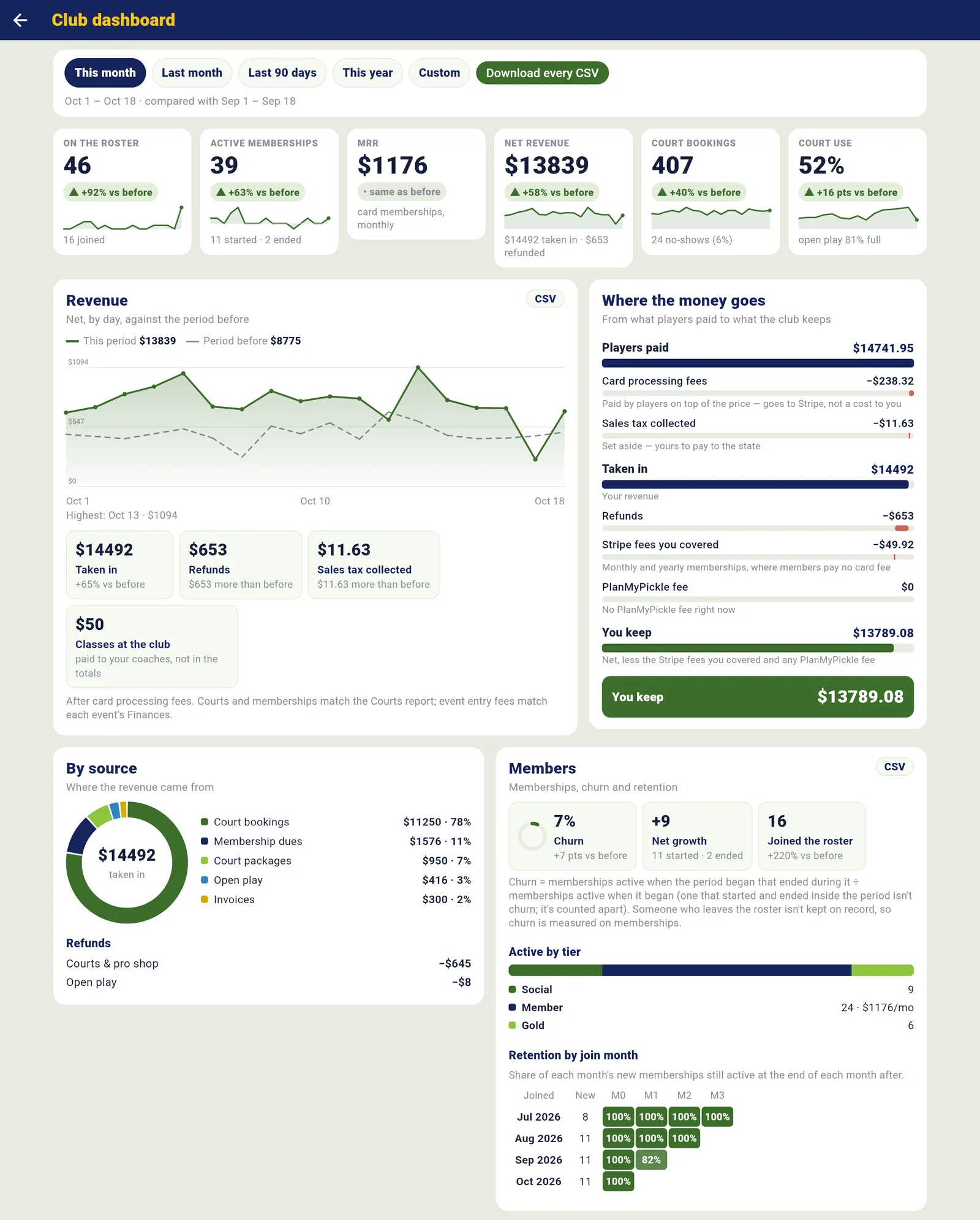
The Dashboard on our test club (sample data), October 2026 against September.

Club events, filled from your roster
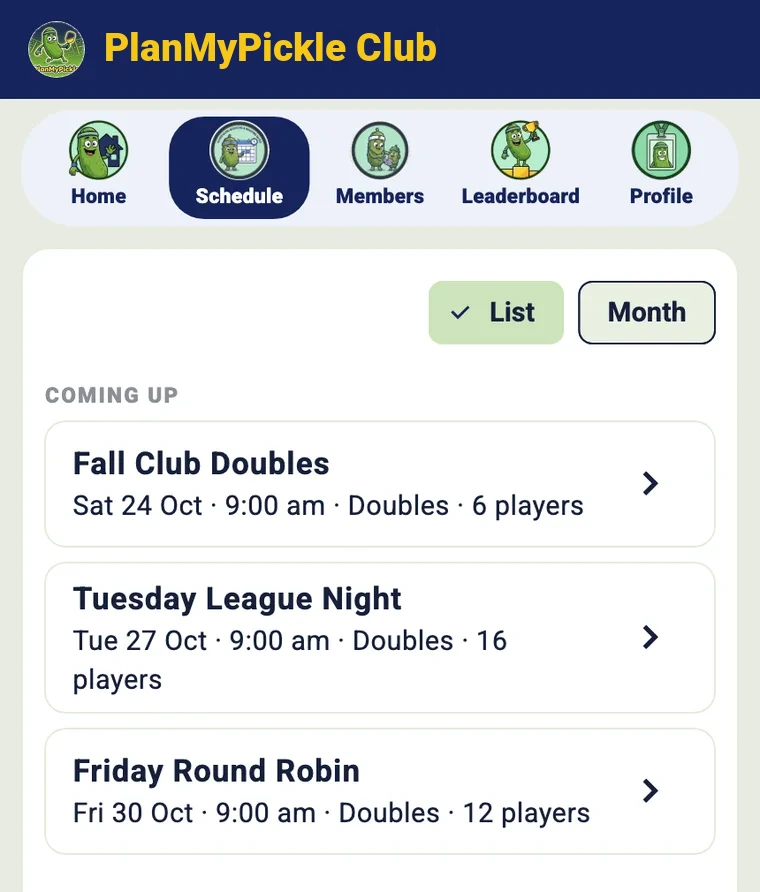
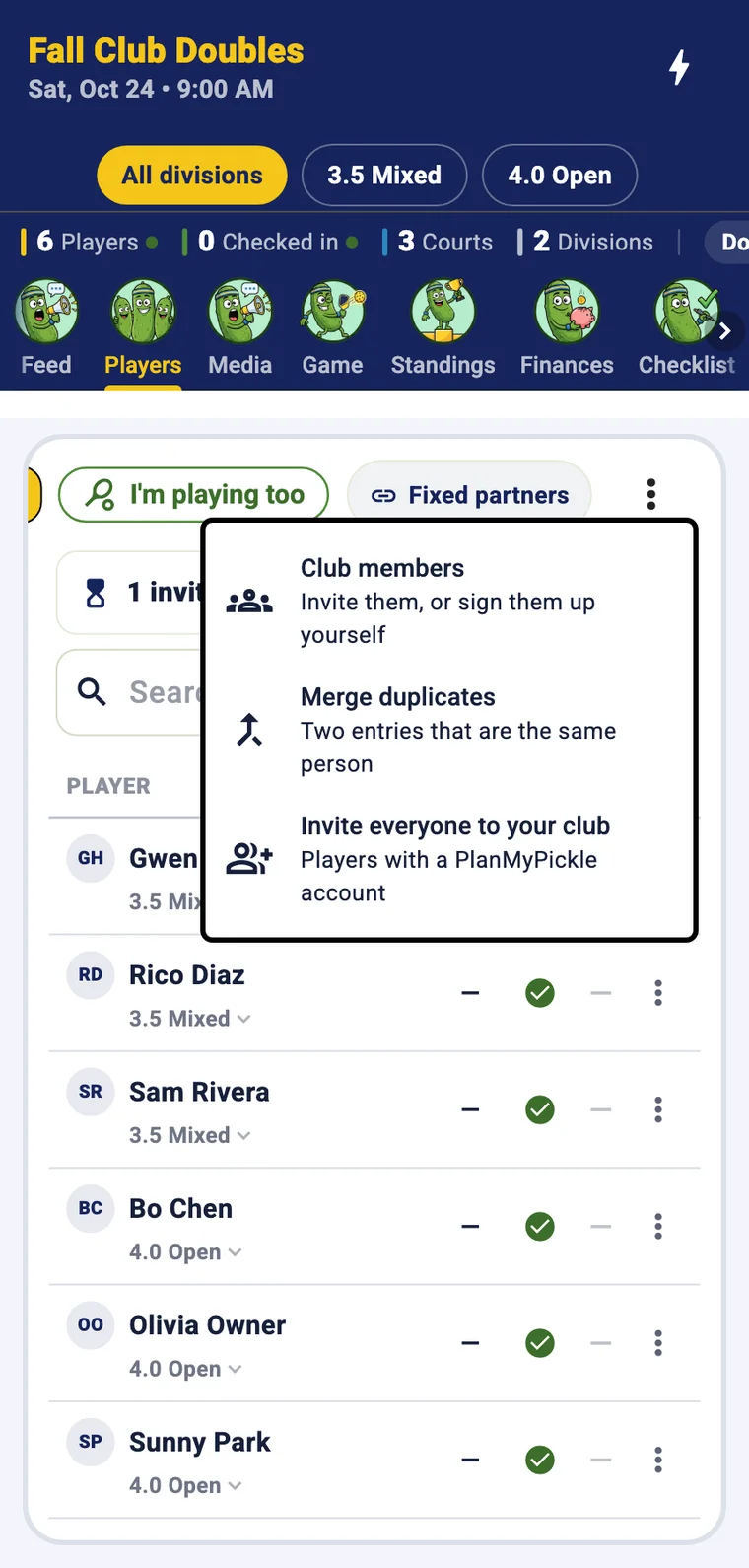
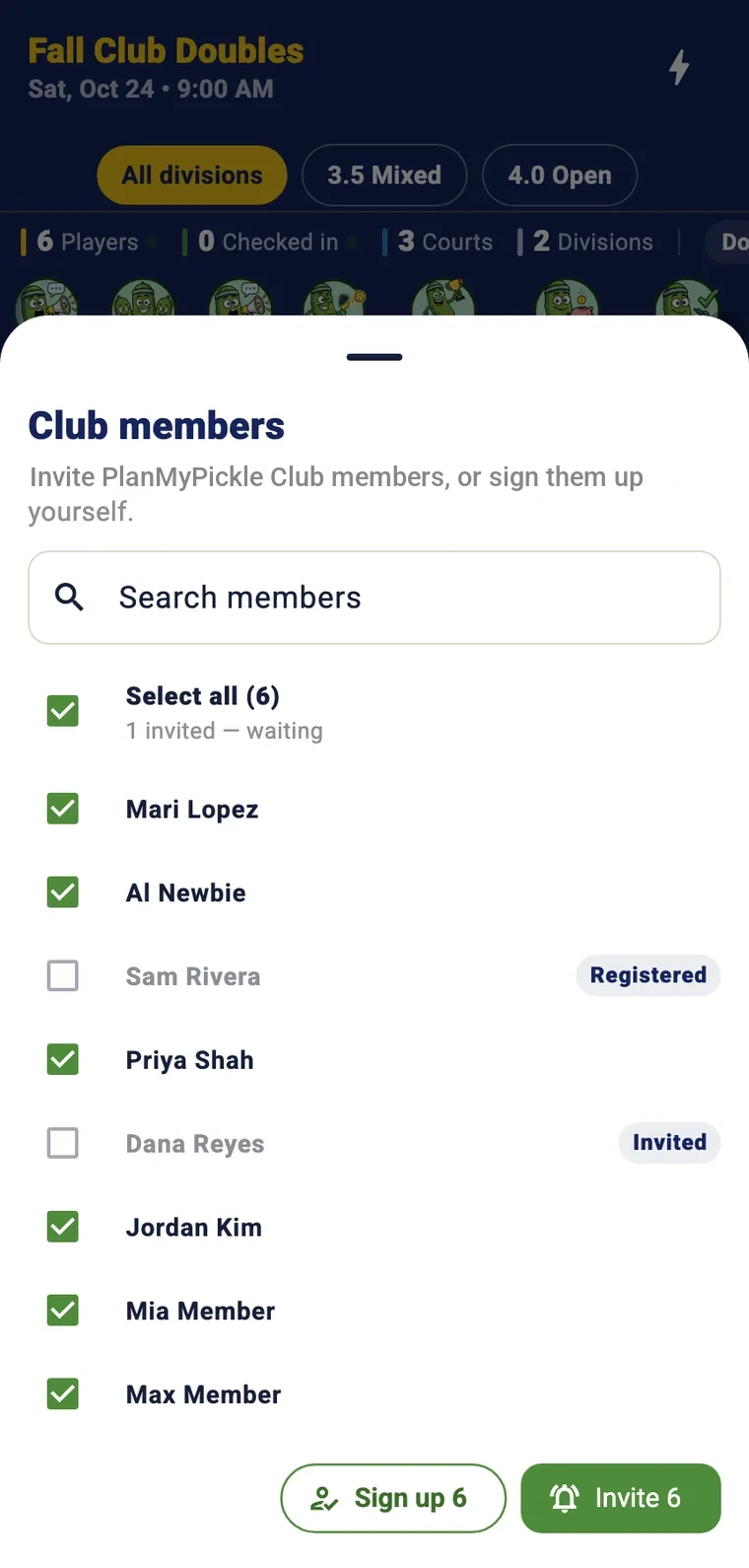
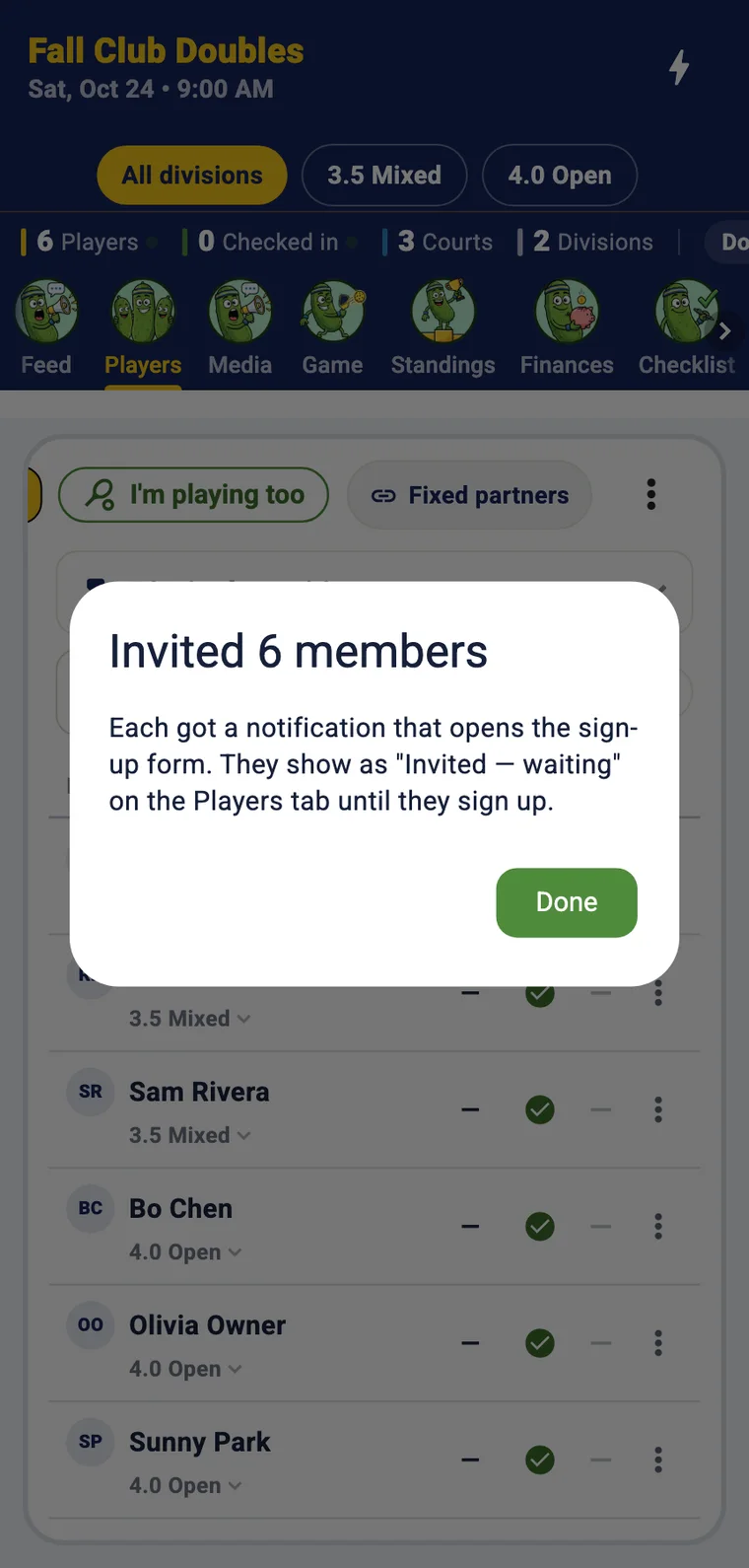
Every club event, from tournaments and round robins to league nights, lives on the club's Schedule. Fill one from your own roster in a few taps: open Club members, select all, Invite. Each gets a notification that opens the sign-up form, and they show as invited until they register.
Invite your members, inside the app
Then run it live
Players check in with a QR code, the draw builds itself, scores go in courtside and results go to DUPR with one tap. Tap through the semifinals and the final below; they're laid out the way the match cards look in the app.
Re-seed in one tap
Court calls pushed to every phone
One tap when the division is final
DUPR, built in DUPR partner
PlanMyPickle is a DUPR partner. A club event can be DUPR-sanctioned, so its matches count toward players' official ratings. Players connect their own DUPR account, their verified rating shows in the app and seeds the draw, and the organizer sends the results to DUPR with one tap.
- Players connect through DUPR's own sign-in, so nobody has to type an ID. Their verified rating sits on their profile and updates when DUPR's does.
- Sanctioned with a switch. Turn it on when you create the event. Ratings seed the brackets; give each division a rating band and choose whether a player outside it is warned or blocked. You can limit an event to DUPR+ members.
- One tap to submit. When a division is final, Import to DUPR sends every completed match and lists what went and what was skipped. A re-scored match is updated on DUPR; Remove from DUPR reverses a submission.
- Counts for your club. Put your DUPR club ID in the club's settings and events your club hosts submit as the club's own matches on DUPR once the club is verified and the organizer holds an organizer or director role on it; otherwise they go up as PlanMyPickle matches.
- Bring my club from DUPR. Members who have connected DUPR join your club with their ratings; everyone else gets a join link and joins the moment they connect.
- The paper trail. A sanction-ready CSV (every match, DUPR IDs, submission status) and a results PDF with final placements, DUPR IDs and an attestation for the organizer to sign, for every sanctioned event.
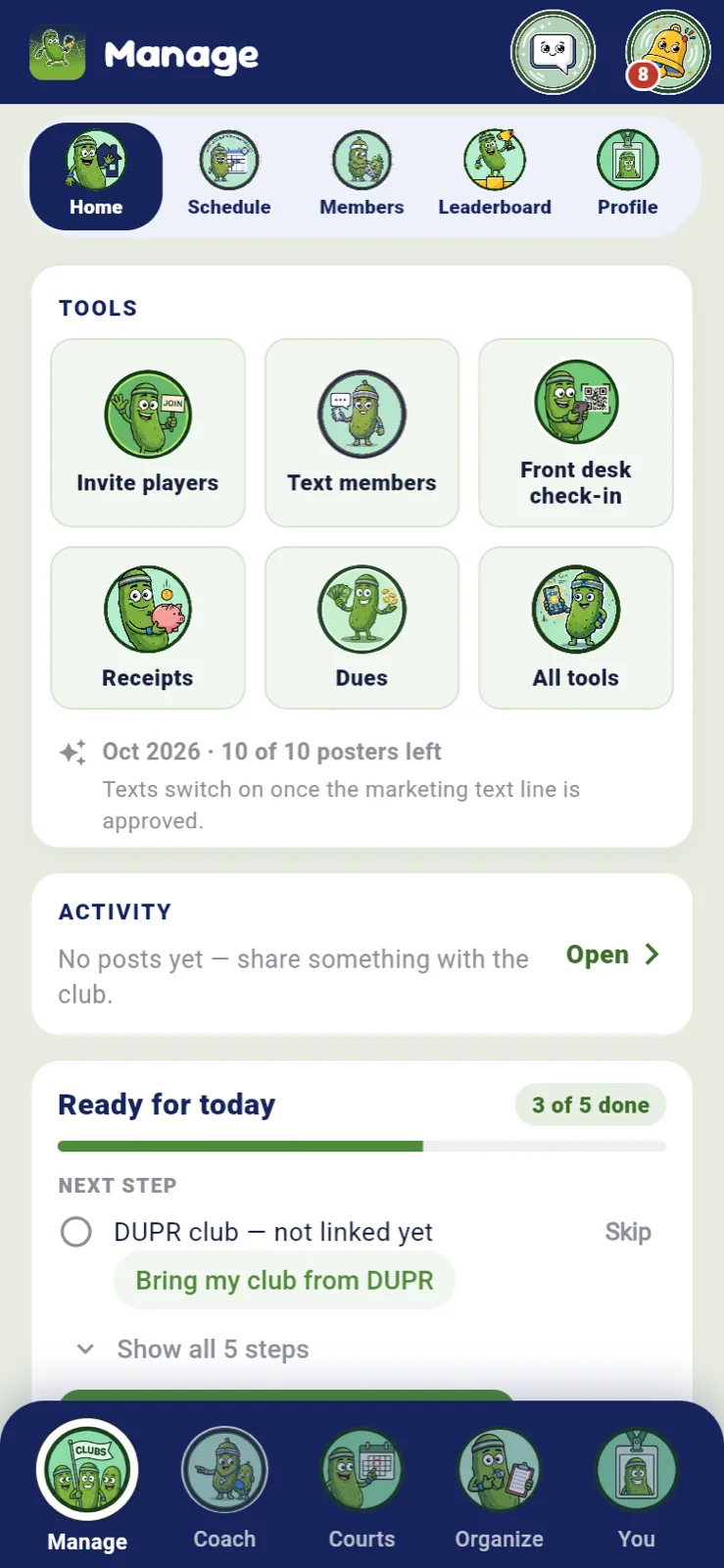
- Ready for today. The club's Home shows what's left before you can run a DUPR event: courts, members, the DUPR club linked, how many members have connected, payouts.
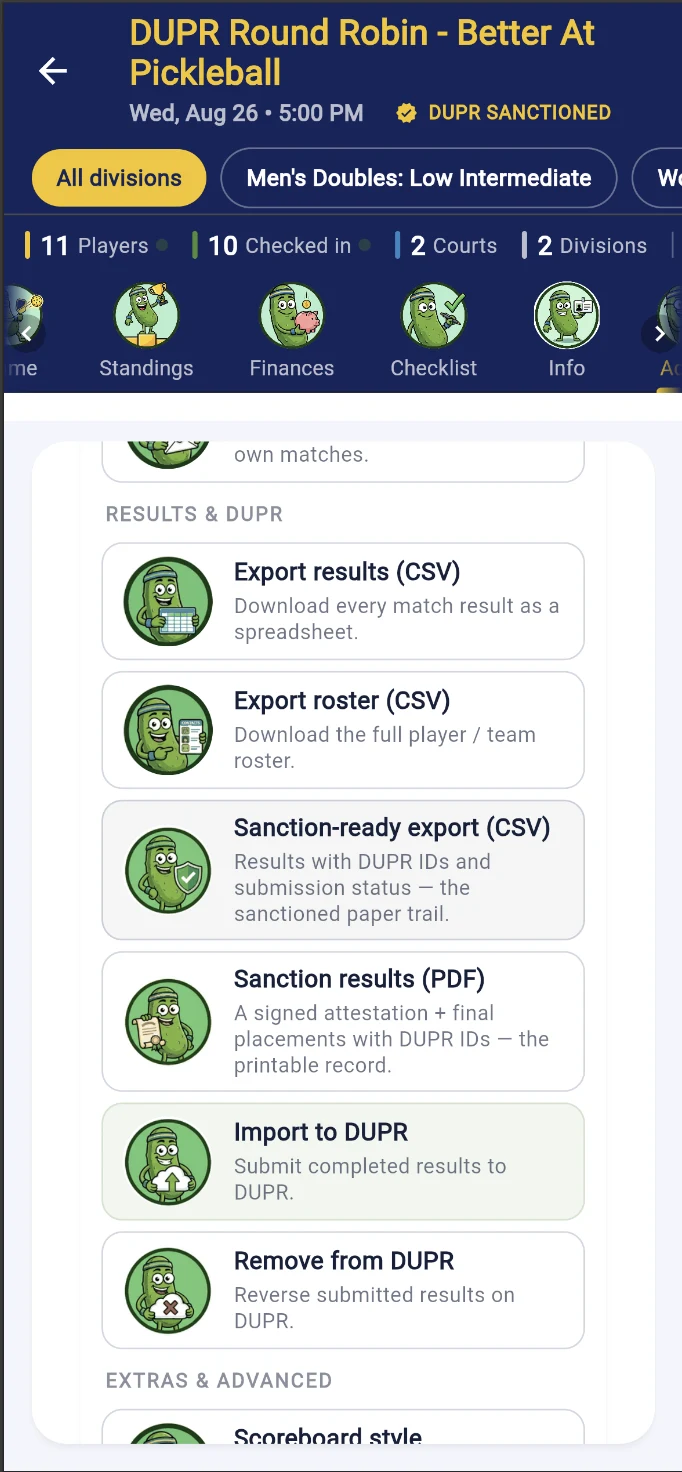
The Results & DUPR tools on a real sanctioned event
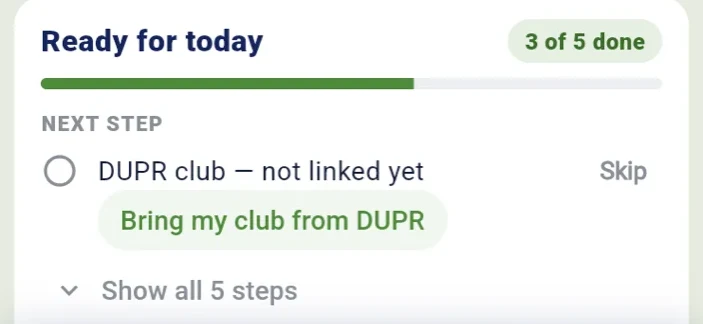
The club's Ready-for-today checklist
Reach your members without a second tool
Email campaigns, texts and app notices from the club page, to the members you pick: everyone, a tier, who played lately, who is drifting away, a skill range, repeat no-shows, unpaid dues, new joiners or an event's players. No export to Mailchimp and no list to keep in sync: the audience is your roster, counted live as you pick. AI posters for your events too.
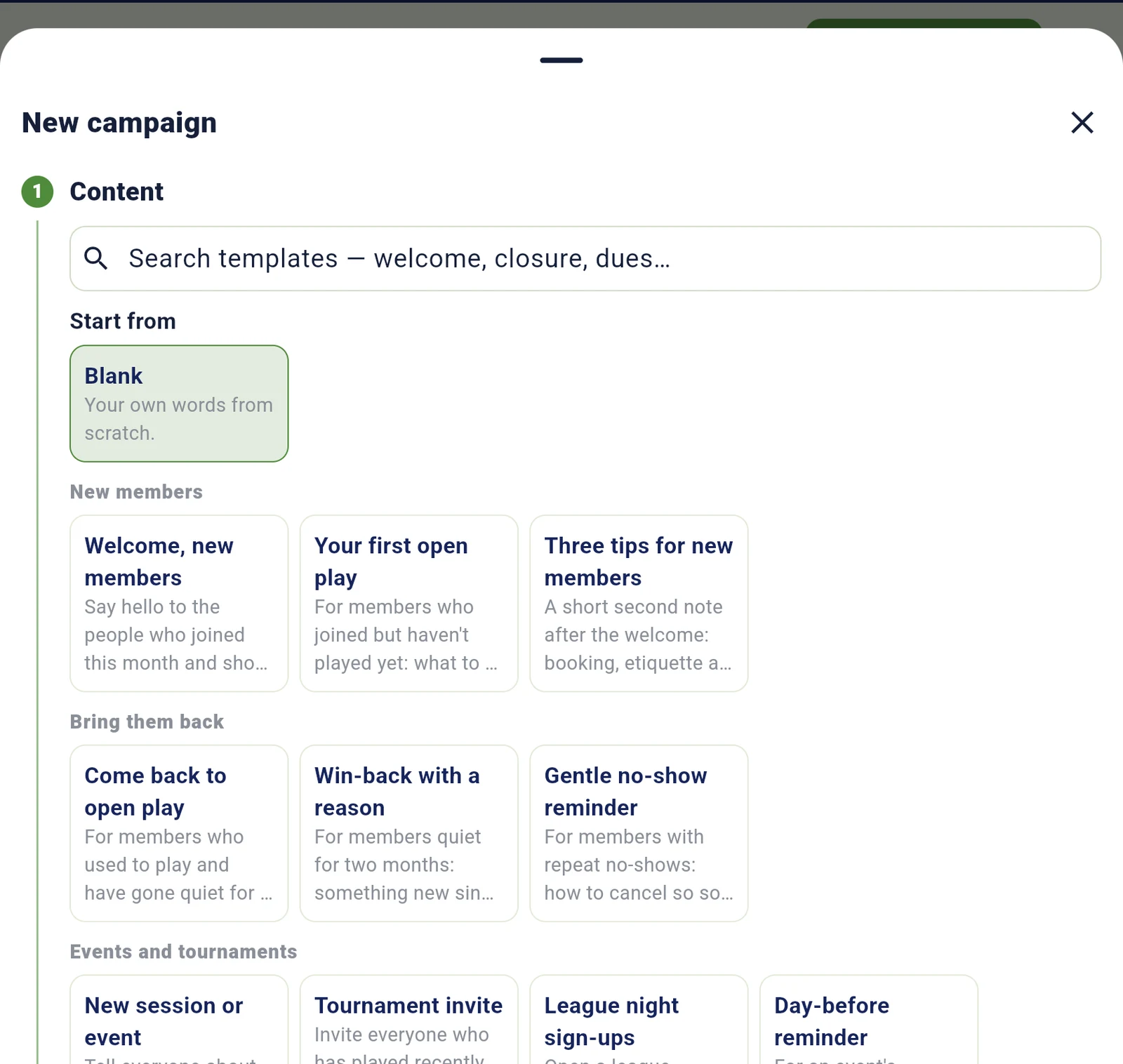
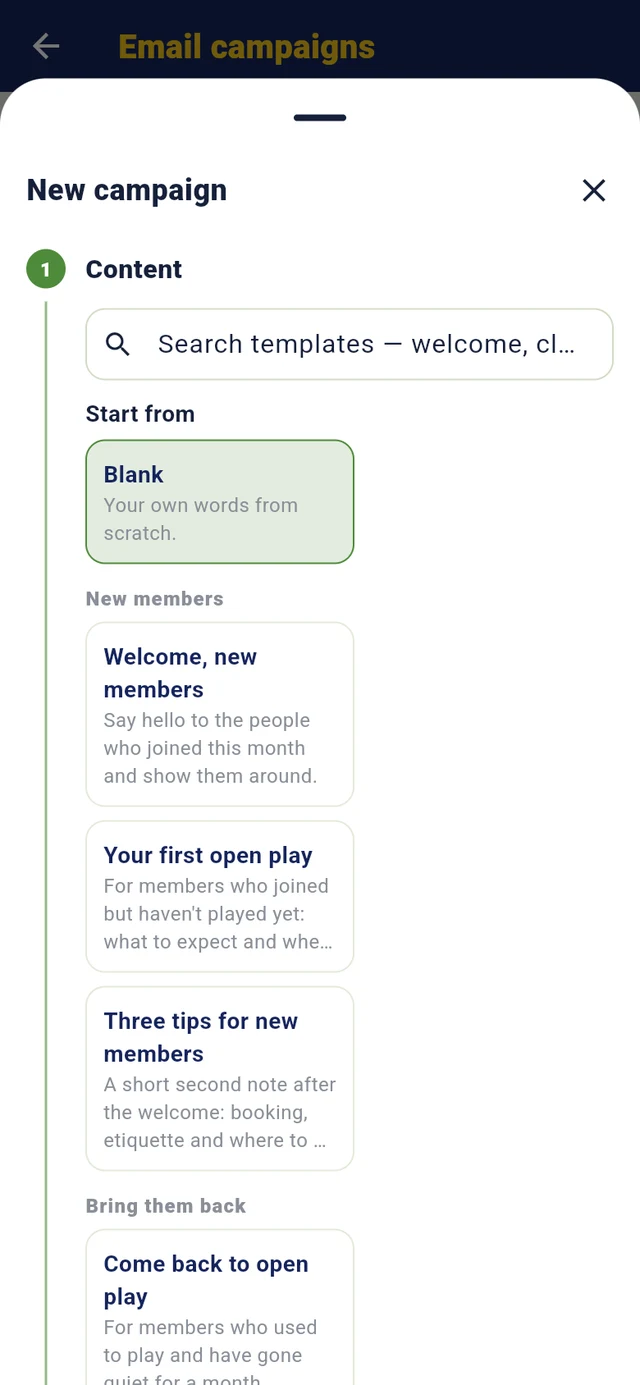
- 28 templates in seven groups — welcome, come back, league sign-ups, a day-before reminder, closure and holiday notices, dues and renewals, newsletter, clinics — each with its audience and the matching app-notice and text words. Search them; save your own.
- Your words, their name: heading, text, your picture, a button, an event card;
{{first_name}}becomes each member's name. - Send now or schedule in the club's time; add an app notice and a text in the same send.
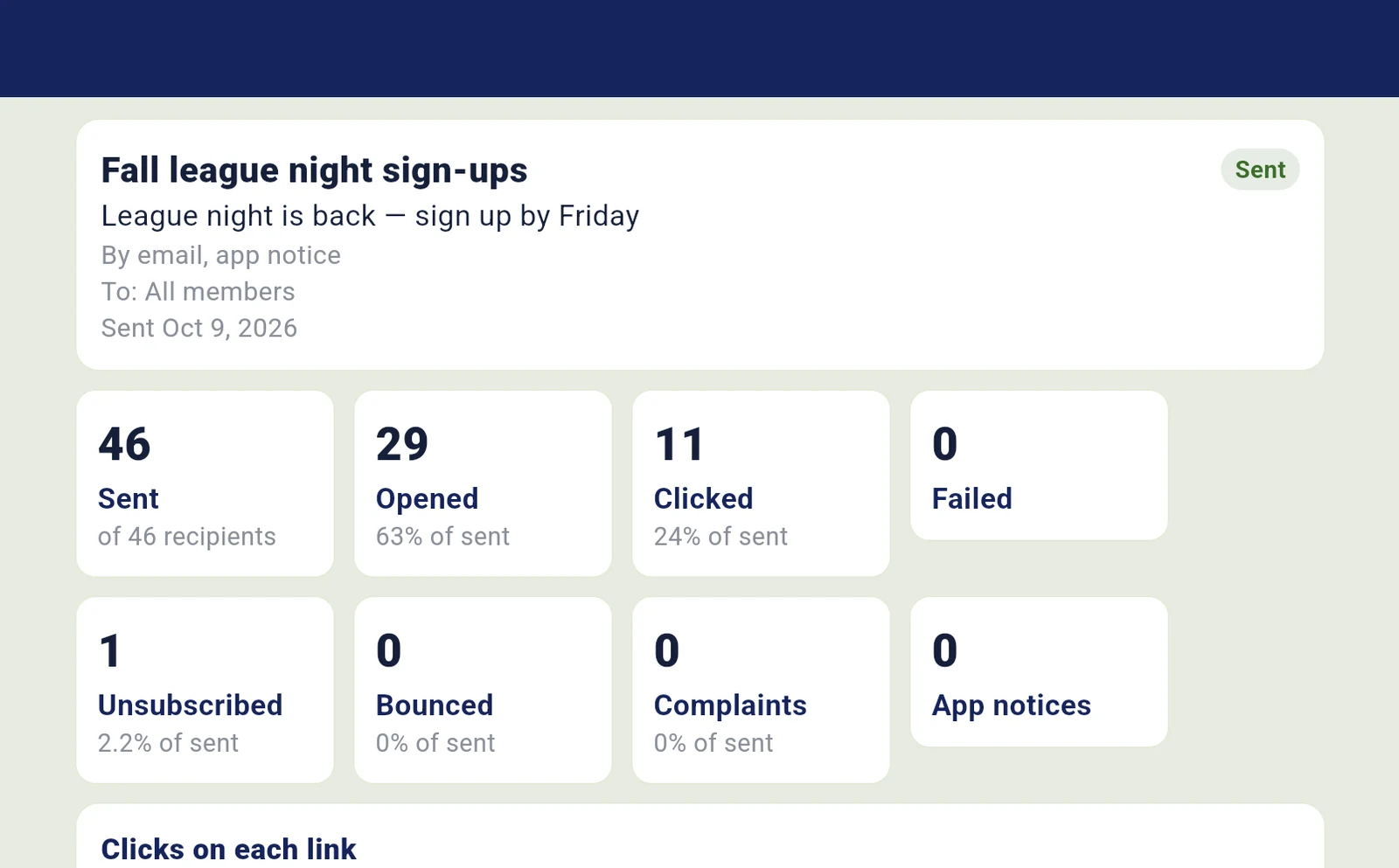
- Results as totals: sent, opened, clicked, unsubscribed, bounced, complaints, clicks on each link. Never who.
- Safe by default: one-click unsubscribe on every email, 5,000 a month and 3 a week per club, one a day and two a week per member and, while our new sending domain warms up, 2,000 emails a day across all clubs, a bounce-and-complaint pause before a club can hurt its own reputation.
- Also here: Text members (members who verified their phone and said yes to texts; daytime only; at most one promotional text a week per member from PlanMyPickle and its clubs together; STOP honored), Message the club (bell and push) and AI posters for events.
Screens from our test club, October 2026. Email campaigns, texts, app notices and posters are live.

Roles, permissions and data
Your member list is yours.
Not a marketplace's: who belongs to your club, their notes, visits and payments are visible only to your staff and to the organizers of an event your club hosts (from when it's set up until 30 days after it ends): no other club can see your roster, export it or contact your members through it; your coaches see the member list and waiver status, and open the file and contact details of their own students only; and we never sell your list or share it with other clubs or marketers. Members' email addresses and phone numbers aren't in the roster export: you reach members through the app's email, text and notice tools, and a system you connect with a Club+ API key can read them if you give that key contact access. Staff who can open a member's file (owner, co-owners, front desk, a coach for their own students, and the organizers of your club's events from setup until 30 days after the event ends) see that member's phone and email there. Our service providers (hosting, Stripe, email, text and push delivery) handle data only to run the service, and a sanctioned event's results go to DUPR as the DUPR section describes. Our privacy policy describes the providers we use and names the ones that touch your members' email, notifications and payments. Your public page shows your events and your courts, never your member list or anyone's contact details; an event's page lists its registered players by name, as every event page does.
Staff actions are authorized on the server against the person's current role at that club, so a role change applies on their next request. Each row below is enforced on the server.
| Action | Owner | Co-owner | Front desk | Coach | Member |
|---|---|---|---|---|---|
| Dashboard, receipts, staff activity log, people report | Yes | Yes | No | No | No |
| Change booking rules, prices, tax, the public booking link | Yes | Yes | No | No | No |
| Post open play, close or block courts | Yes | Yes | Block today only | No | No |
| Book for a member, record a cash payment, send an invoice | Yes | Yes | Yes | No | No |
| Open a member's file | Yes | Yes | Yes | Own students | No |
| Open a member's house account | Yes | Yes | See and take payments; no settings | No | No |
| Void an invoice, suspend or block a person | Yes | Yes | No | No | No |
| Make someone front desk | Yes | Yes | No | No | No |
| Appoint or remove a coach or co-owner | Yes | No | No | No | No |
| Hand the club to a new owner | Yes | No | No | No | No |
An event's organizers and co-organizers count as staff for that event, from setup until 30 days after it ends: they see the member list and members' files and contacts, as the front desk does.
- Removing access applies at once. The owner can take a co-owner back to member or off the club; their calendar feeds stop at once and their API keys within a minute.
- Changing owners: the owner hands the club to a co-owner, who first connects their own payouts and, when the club runs on Club+, holds Club+ of their own. At closing time the old owner loses all manager access and future payments go to the new owner.
- Card data is handled by Stripe Checkout; PlanMyPickle never sees card numbers.
- Audit: role changes, refunds, voids, blocks and other staff actions are recorded with who and when.
- Hosting: the database is Postgres on Supabase in AWS us-west-2 (Oregon); the API runs on Railway.
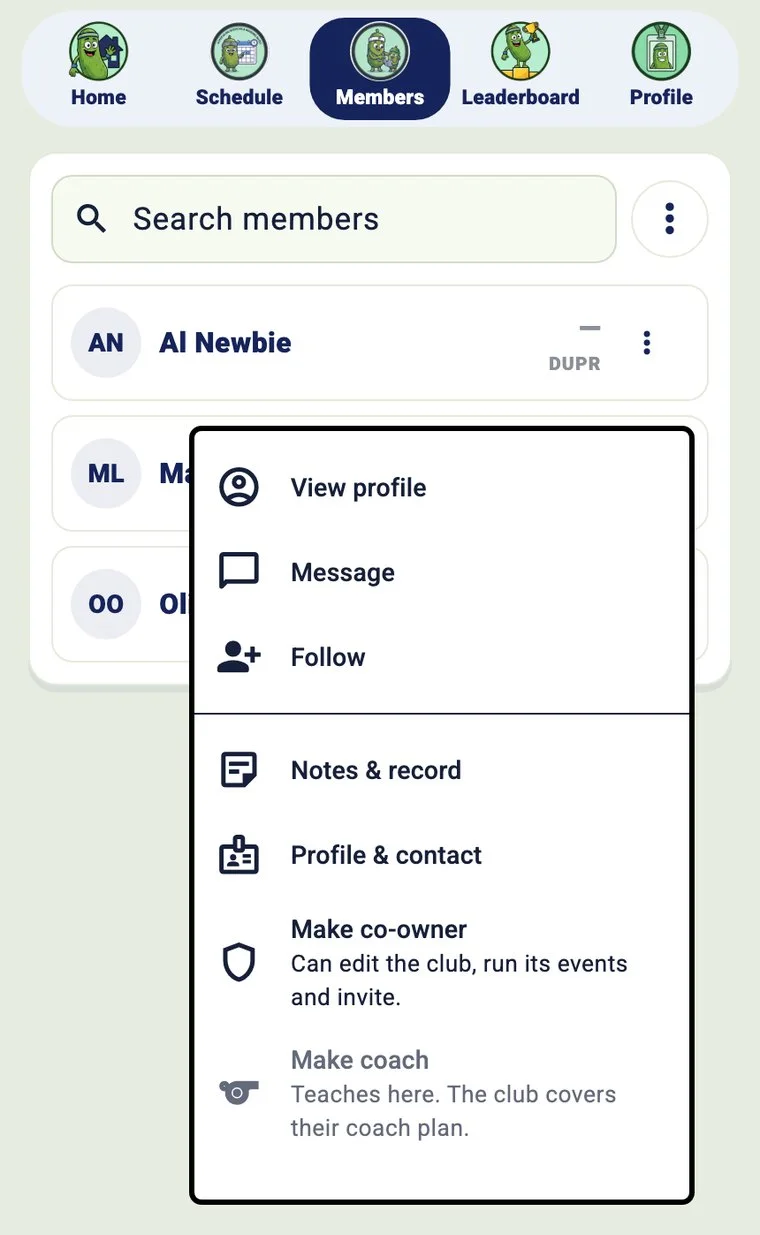
Make co-owner (owner only)
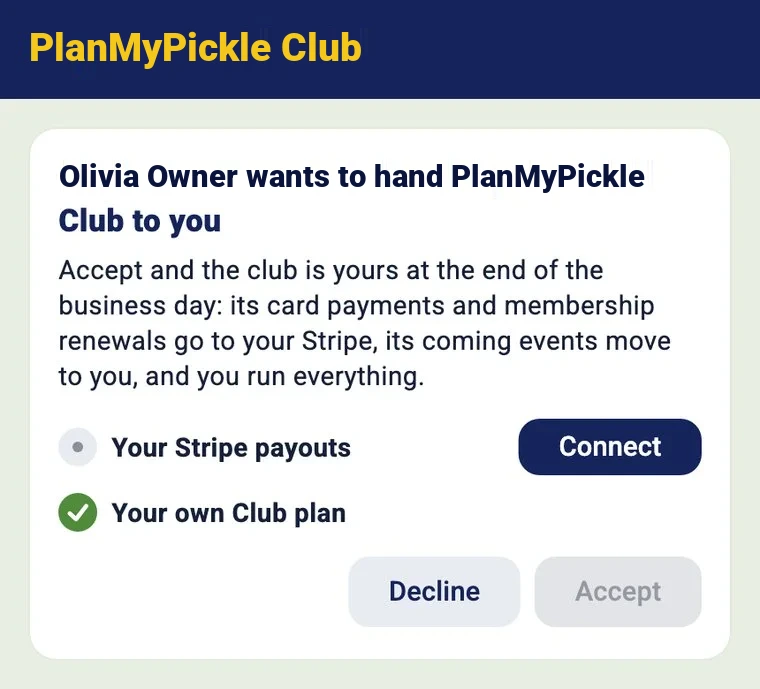
Handing the club over
Plans
Early access: PlanMyPickle charges nothing right now. Every plan is on for every club and no plan is billed. These are the prices once billing turns on.
- Roster, join link, your public page, schedule, feed and dues
- Every event format, check-in, live scoring and DUPR-sanctioned events
- All-time leaderboard, standings and history
- Your branding and the crew on every event your club runs
- Email campaigns: 5,000 emails a month, 28 templates, app notices and texts alongside
- Coach seats and the full league archive
- 10 AI posters and 500 texts a month
- Everything in Club
- Court booking, memberships and open play
- The front desk, a courts TV and receipts
- Rules for your coaches, house accounts, the pro shop
- The member pass and home card
Nothing out of your price. PlanMyPickle adds no fee of its own to your court bookings, memberships, open play, lessons or pro-shop sales; the money goes straight to your club's Stripe account, and a card-processing line is shown before the player pays. Tournament entries: no PlanMyPickle service fee during early access; once billing turns on, players add 2% on top of the entry, itemized before they pay, and your club receives the full entry. Club and Club+ start with 3 months free, once per owner account; pay yearly and save 15%.
See it on your courts.
Start your club free in the app, or book 30 minutes and we set up your club, book a court, check someone in and run a match, live on your own phone.
- ScopeOne or two locations and the programs to run.
- SetupCourts, prices, rules and staff roles, with your team.
- Run itMembers book in the app; staff run the desk. Your first 3 months are free.
- ReviewBookings, fill rates, no-shows, revenue, feedback.