Brackets · check-in · live scores · payments · DUPR
Run the tournament. Skip the chaos.
Every format, scheduled across every court, scored live by the players themselves, paid to your own account and sent to DUPR with one tap. Free to run, with no PlanMyPickle fee on your own events.

From the sign-up sheet to the podium
Six steps, and the app does the arithmetic. Free, every format, no limit on players or courts.
- Create the eventPick the format, add divisions and rating bands, set courts and fees. Or snap the sign-up sheet you already have and the app drafts it.
- Players register and payThey join the right division and pay online while you watch the roster fill. Entry fees go to your own Stripe account.
- Scan to check inDay-of, players QR-check-in themselves. The desk stays empty.
- Build the scheduleOne tap generates every match across every court, nobody double-booked.
- Score it livePlayers enter scores courtside by QR, or a coordinator taps them in. Brackets and standings update at once, on every phone and the TV.
- Send to DUPRSanctioned event? One tap sends every finished match. Medals, share cards and the results page follow.
Already on paper? Snap it.
A flyer, a whiteboard bracket, a sign-up sheet, a Google Sheet or an Excel file: snap it or upload it and the app drafts the tournament, divisions, start times, players and partners. You check every row before anything is created. Free on every plan.
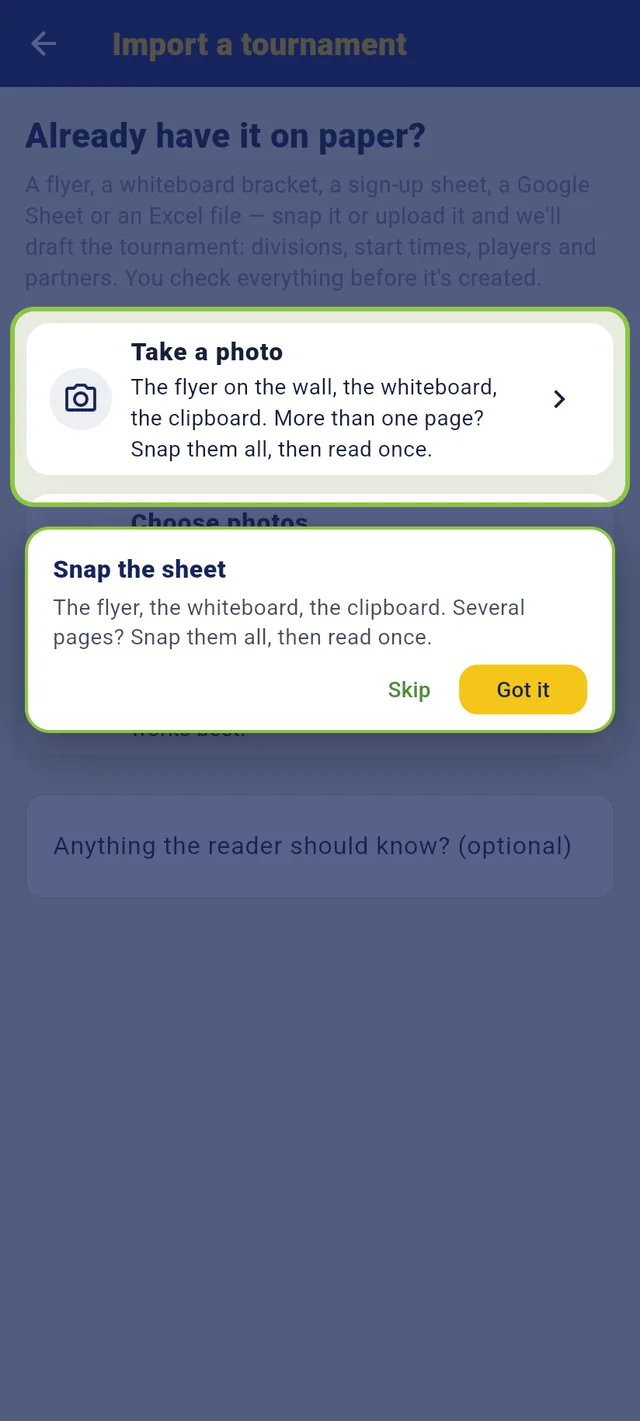
Snap the sheet, the app drafts the event
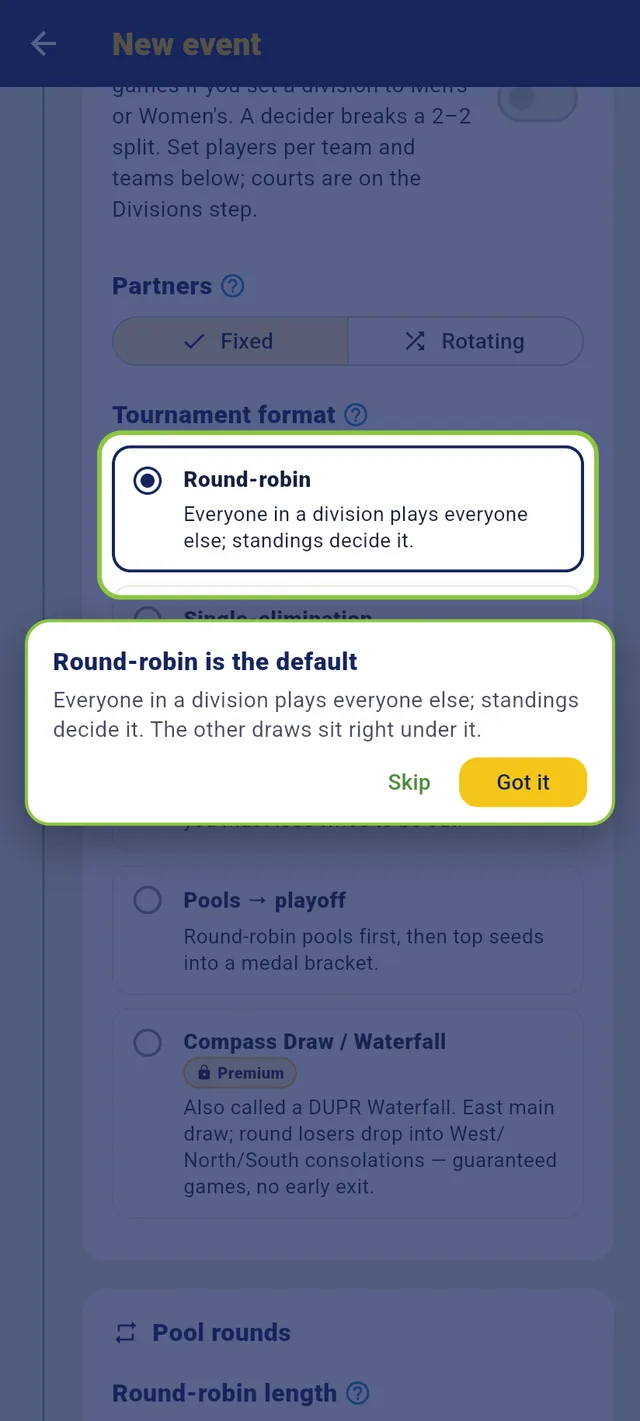
Every format: round robin, single and double elimination, pools to playoff, compass, MLP-style teams, ladders
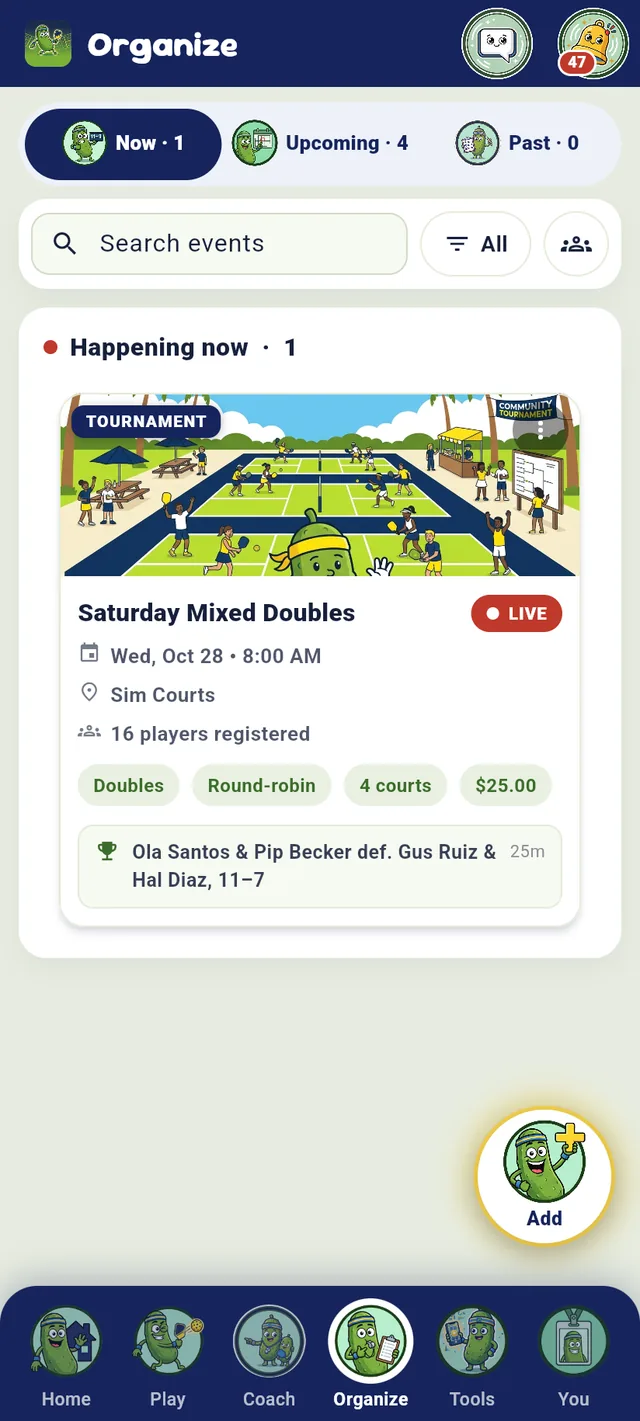
Your events, live and upcoming
Photograph it. Check the draft. Create.
Paid at sign-up, into your Stripe
One tap, every court, no double-booking
Game day, scored live
Players scan a QR at the door and another one courtside to enter their own scores. The game page, the standings and the venue TV all read from the same result the moment it lands.
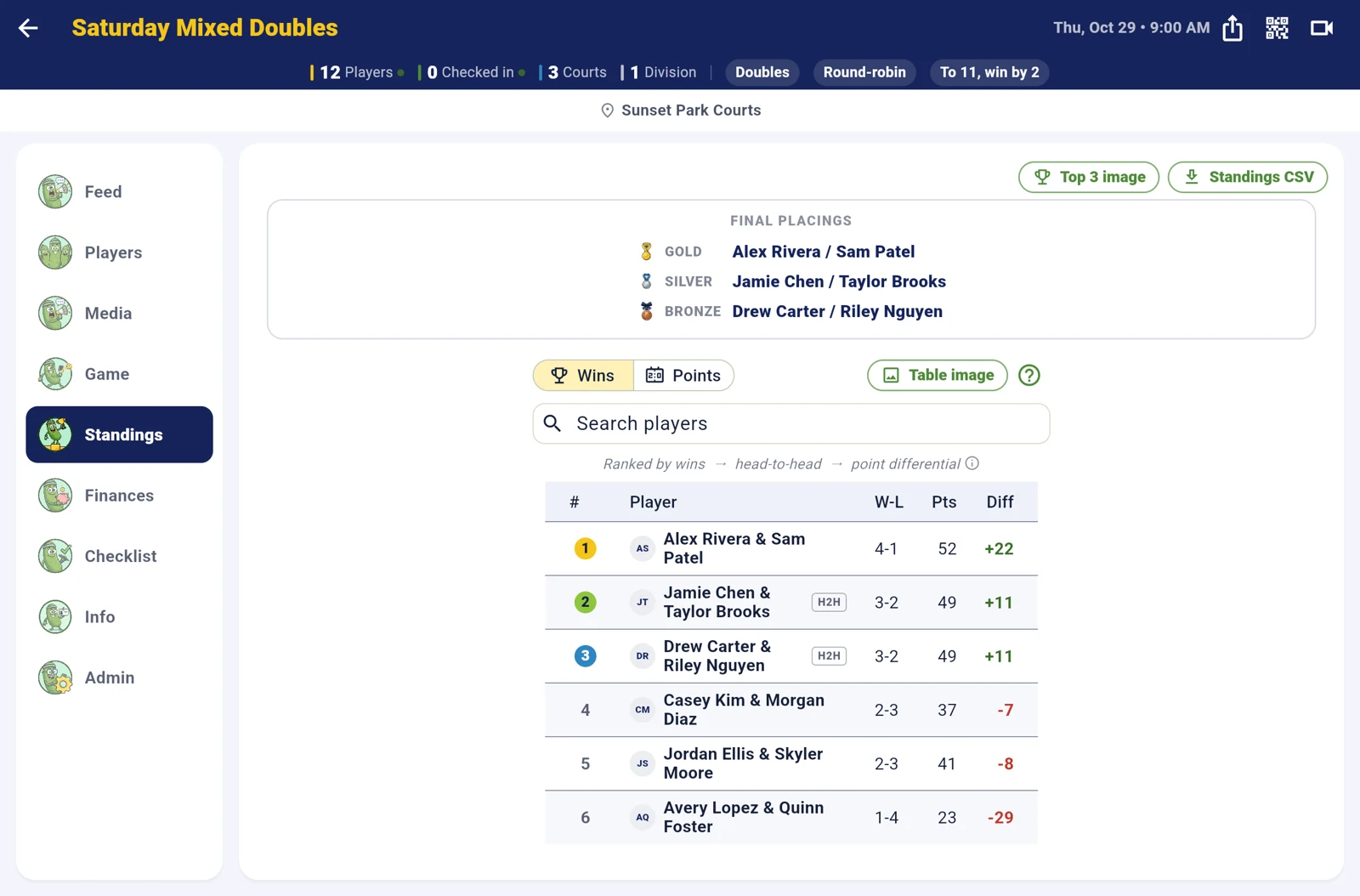
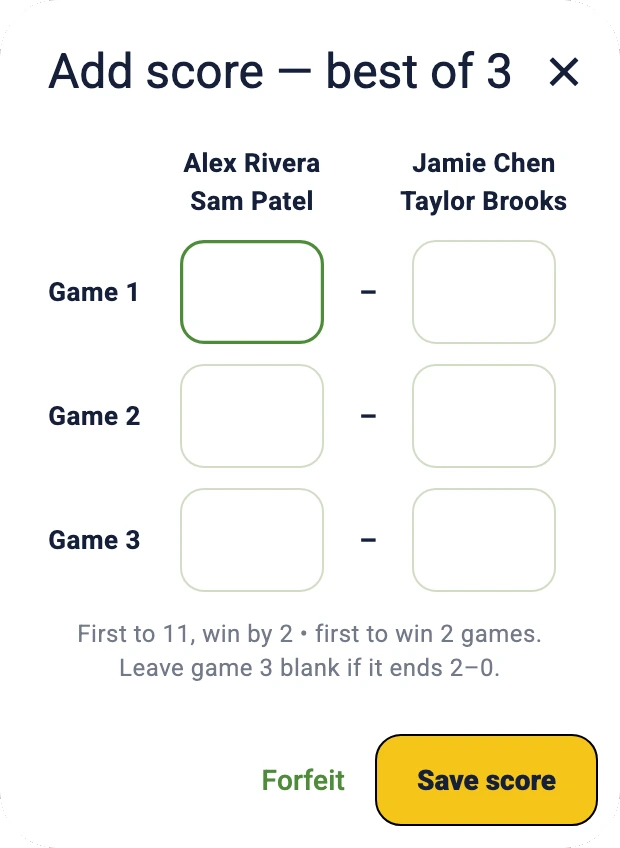
The score card players fill in courtside, here best of 3 to 11.
- Can play now. The schedule knows who is free, so a coordinator fills an open court with one tap instead of shouting across the venue.
- Court calls. One tap calls each player to their court, a push to every player (and a text to those who opted in, when the organizer turns texts on), and the venue TV says it out loud in the voice of one of eight AI announcers (free on every event during early access; after that, on a club’s events).
- Medals and share cards when a division is final: gold, silver and bronze on the game page, a podium picture for Instagram.
- Refund a player from the app. The entry goes back to their card; nothing comes out of what you were paid.
The venue TV and the livestream
Cast the board to any TV: standings, the match on every court, what is up next, and the medal round. Streaming the final? The broadcast overlay puts the court, the players and the live score on your picture, with a results ticker along the bottom.
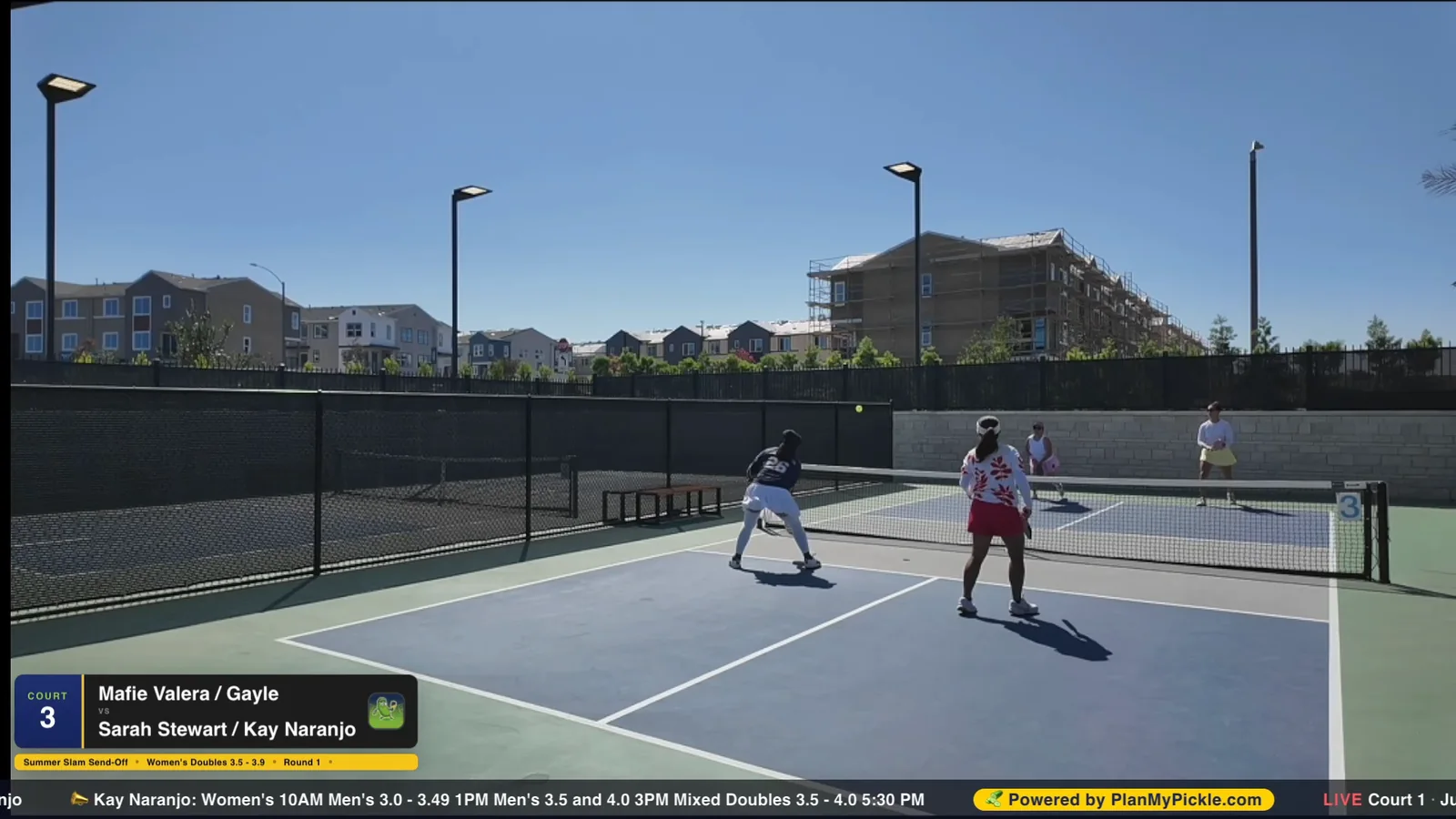
A real frame from the Summer Slam Send-Off stream, Chula Vista, August 2026. The overlay works with OBS and Streamlabs.
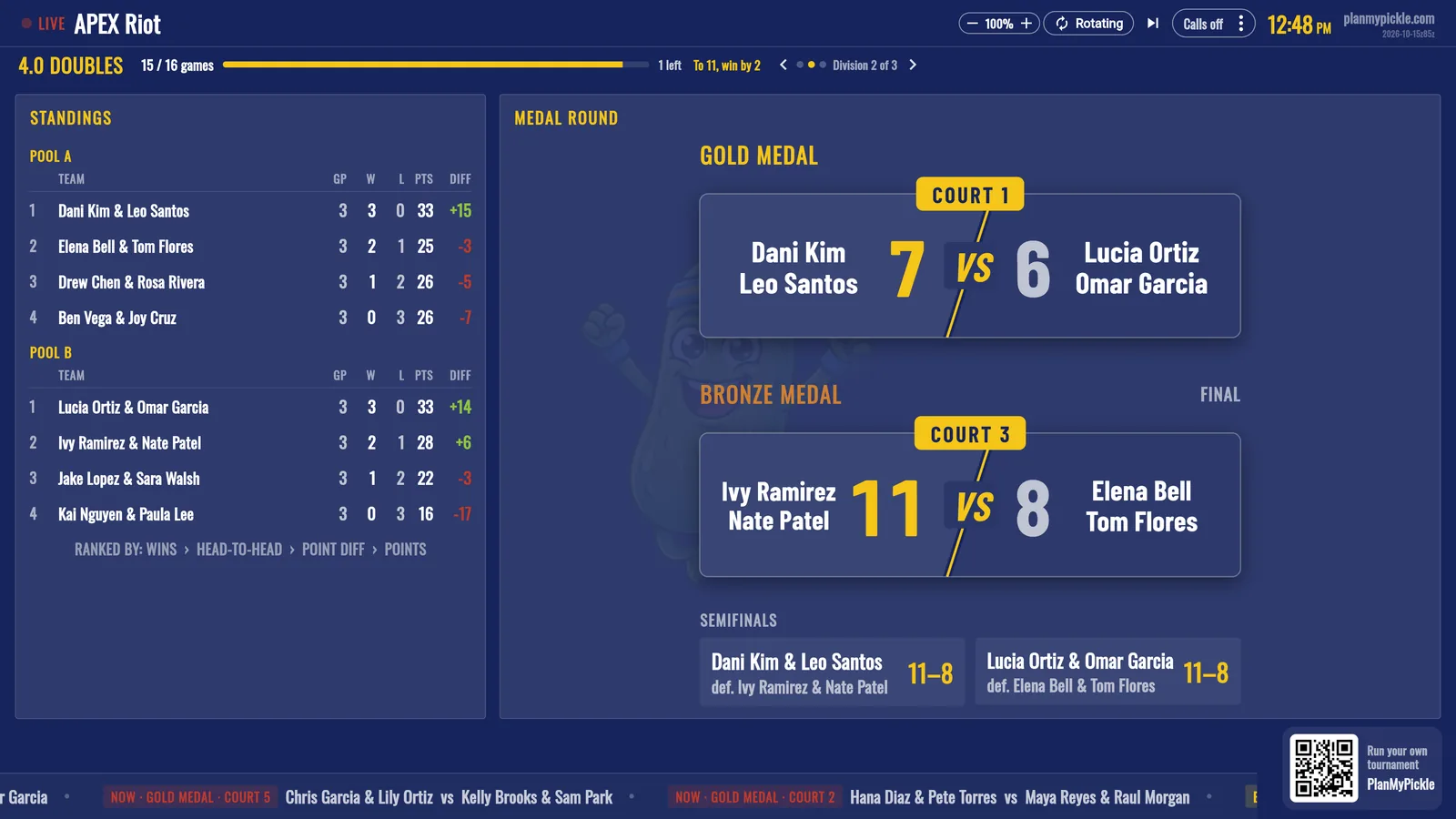
The TV board rotates through divisions on its own, and a QR in the corner lets spectators open the live results on their phone.

Entry fees, straight to you
Connect payouts once with Stripe, a few minutes in the app, and every entry fee is paid to your own account. PlanMyPickle takes nothing from the organizer, and an event you run on your own carries no PlanMyPickle fee: the player pays the entry and Stripe’s card processing. Once billing turns on, a club’s events add a 2% service fee the player pays, itemized before they pay, and the club still receives the full entry.
- Free events carry no fee at all.
- Refunds: you give back the entry and nothing more; the player forfeits the fee lines.
- Price options and member codes: early-bird prices, a member price unlocked by a code, add-ons like a shirt or lunch.
- Finances tab on every event: who paid, who owes, what came in, with a CSV.
Made in the app: posters and the event tee
Make the poster in about a minute and sell the event tee at sign-up. Both come out of the app with your event’s name, date, place and logos already on them. Your first two posters are free.
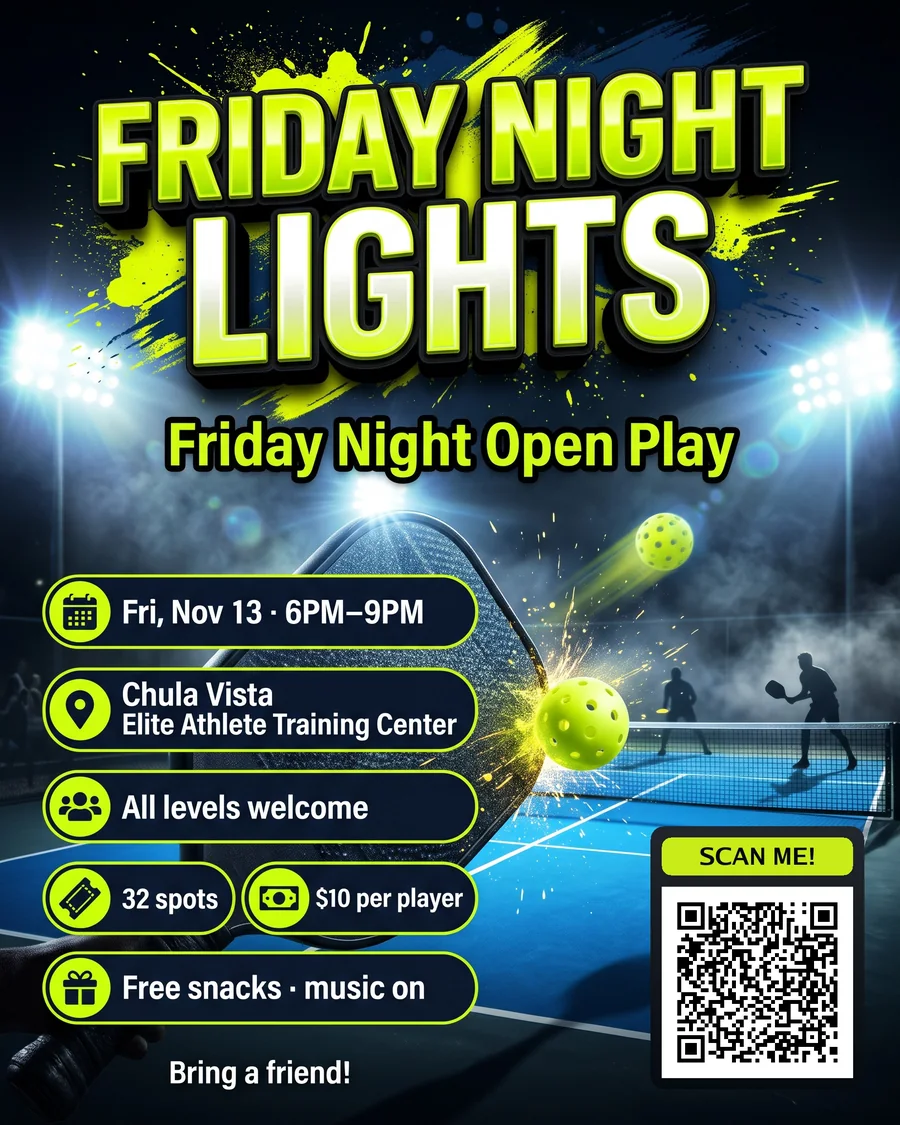
Poster Studio. Pick what it’s for, add the details, choose a look and a theme; it comes back sized for Instagram, Stories or print with a Scan me QR that opens sign-up.
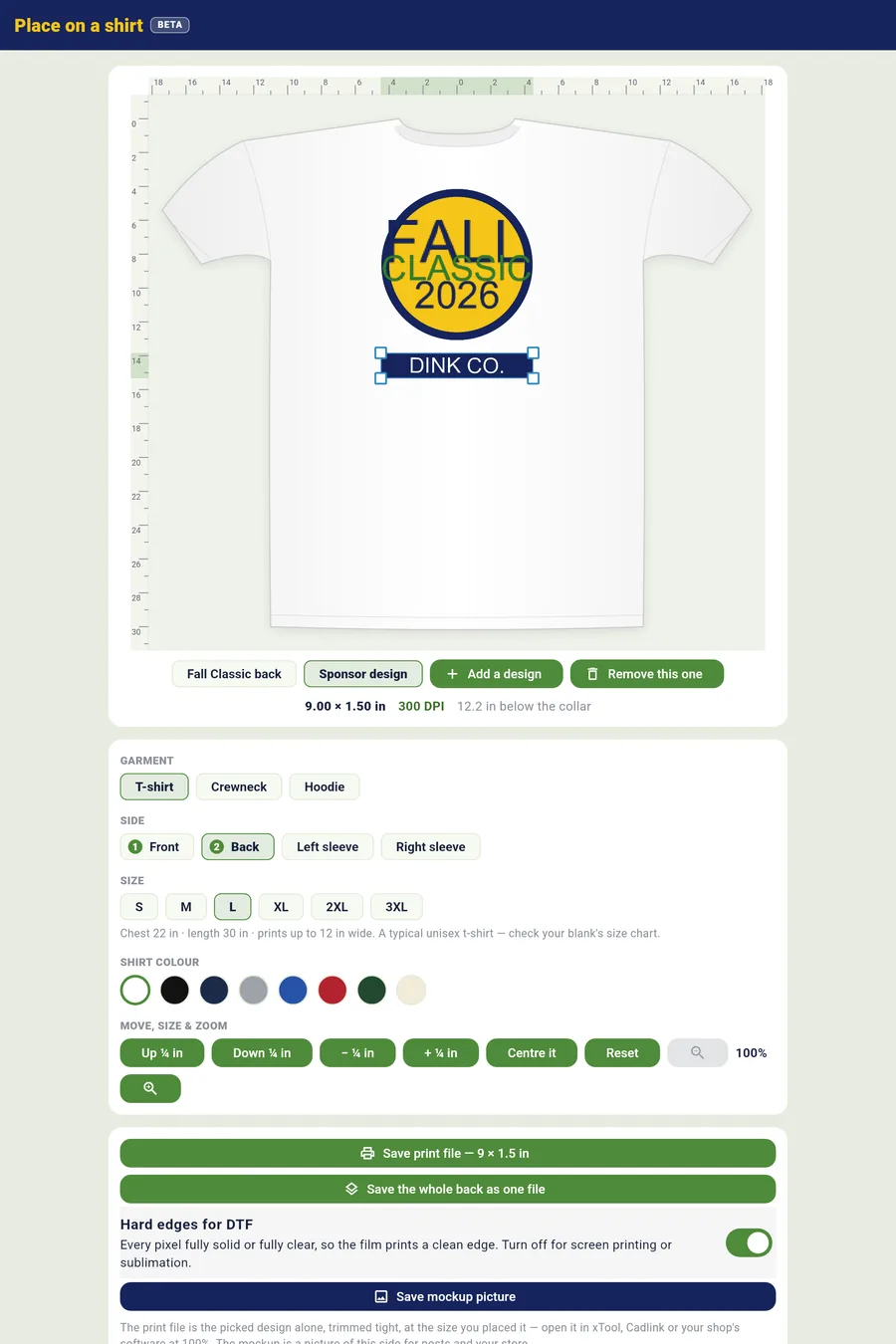
AI Shirt Studio. Front, back and sleeves on any garment, a print-ready file for the shop, and a tee players buy at registration.

- The design goes to your print shop as a 300-dpi file with hard edges for DTF.
- Players pick a size at sign-up; the order sheet lists every size and name for the shop.
- Sponsor logos drop onto the sleeve or the back in one tap.
DUPR, built in DUPR partner
PlanMyPickle is a DUPR partner. Turn sanctioning on when you create the event: players connect their own DUPR account, their verified rating seeds the draw, and when a division is final, Import to DUPR sends every finished match with one tap.
- Nobody types an ID. Players connect through DUPR’s own sign-in; their rating sits on their profile and updates when DUPR’s does.
- Rating bands per division, with a warning or a block for a player outside the band.
- One tap to submit; a re-scored match is updated on DUPR, Remove from DUPR reverses a submission.
- The paper trail: a sanction-ready CSV and a signed results PDF with placements and DUPR IDs for every sanctioned event.

A public page for every event
Every event gets a page at planmypickle.com with the poster, the date and place, the entry fee, sign-up, and afterwards the bracket and results. Public events are also listed by city, so players searching for a tournament near them find yours.
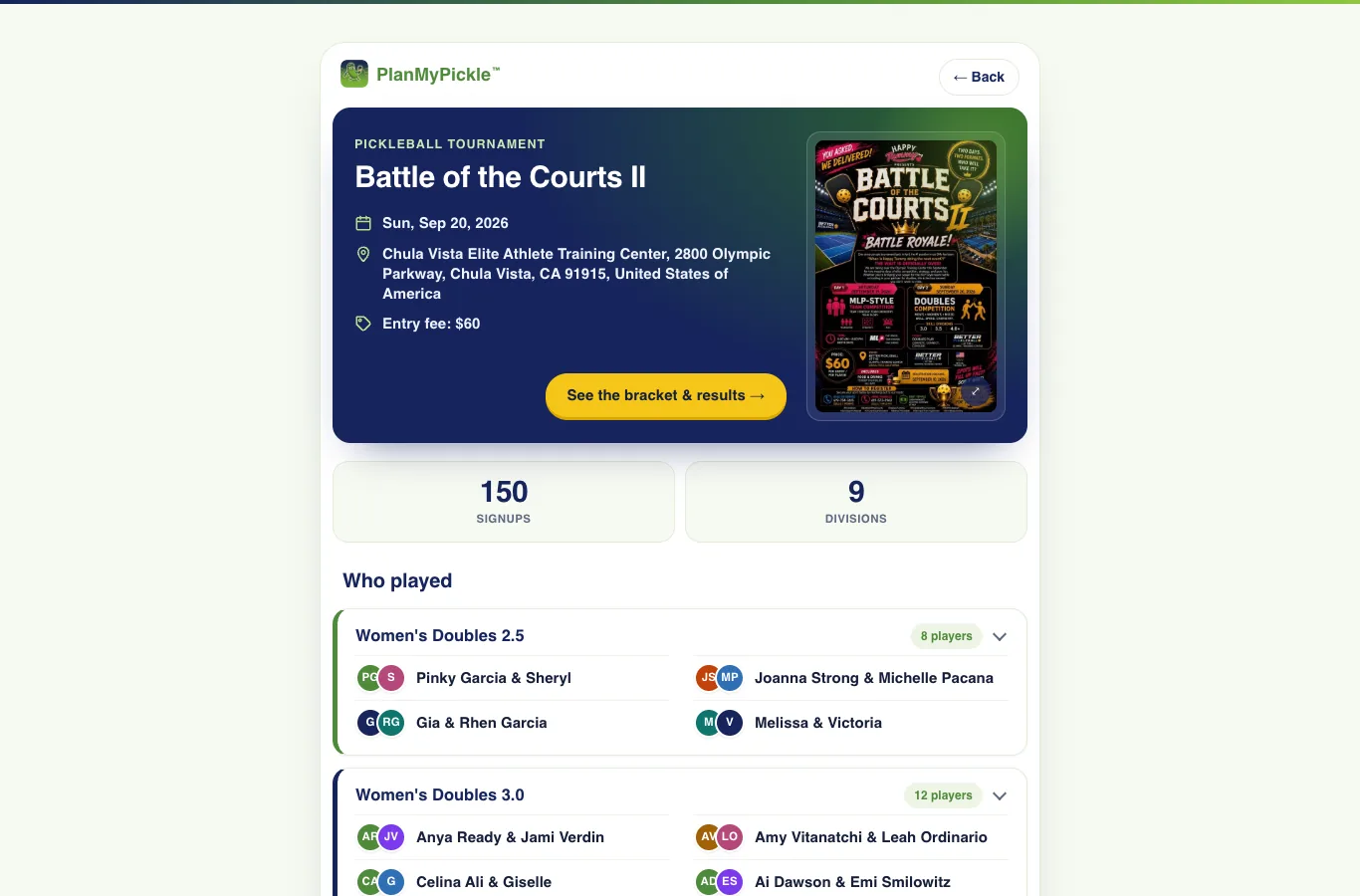
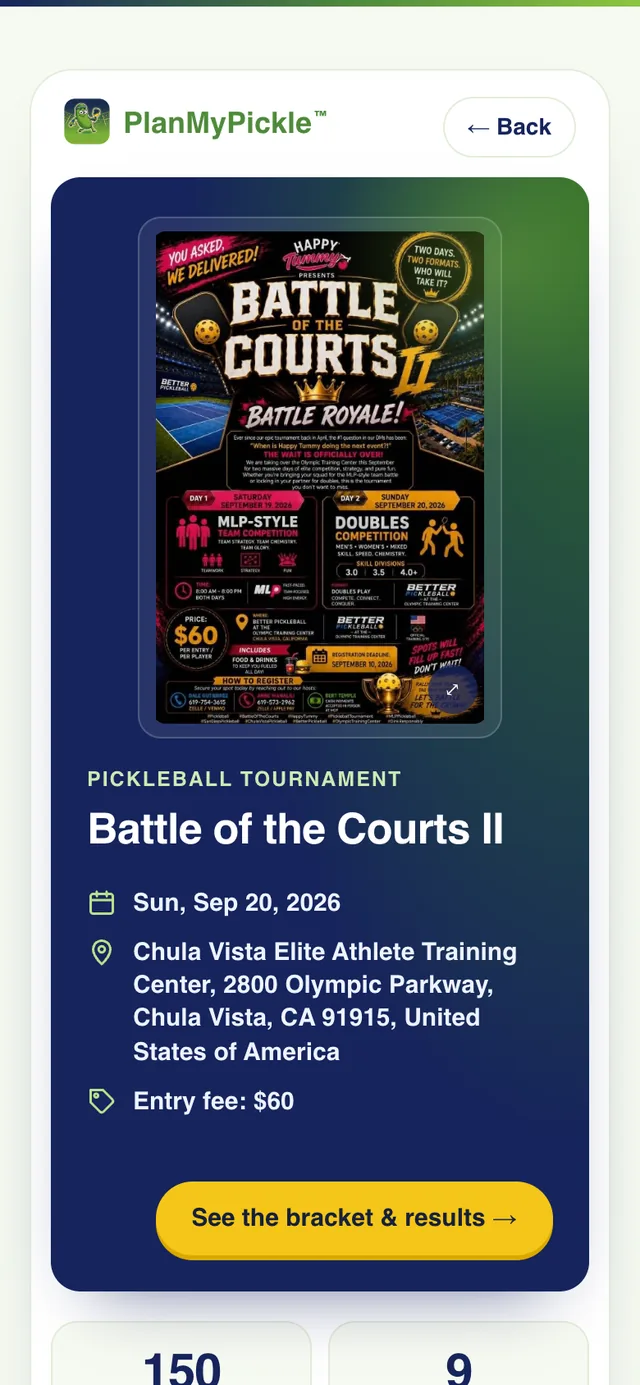
On a phone, the poster leads
Run your first event this weekend.
Create it in the app in ten minutes, or book 30 minutes and we set it up with you: divisions, courts, sign-up and the TV, live on your own phone.