How the Club works, screen by screen
Run the whole club from one app: members, join requests and your public page, court booking, memberships, open play, coaches, money and the month’s numbers. Free to start; Club and Club+ add the rest.
How the Club works — screen by screen
Most clubs run on a booking app, a spreadsheet, a group text and somebody typing DUPR results in by hand. Here is what each club tool does, where it lives in the app, and the plan it comes with.
Every club free, on any plan
Club $69 a month
Club+ $159 a month

Set the club up, and be found
A club is your group’s home in the app: a roster, a feed, a schedule of its events, its courts and its money. One person owns it; co-owners run it with them.
Create it, then let people find it Every club
Clubs → New club · the club page → Profile · planmypickle.com/club/… (the link is in the app)
- Name, address, colour, logo. The colour paints the club’s cards, its public pages, its courts TV and the home-screen icon a member installs. Without a logo, the club’s initials are used.
- Public or private. A public club is in the directory and has a web page; a private club is out of both, and a stranger with the link can see the card but the server refuses the request to join. Invited people get in either way.
- Your public page at planmypickle.com/club/… (the link is in the app): name, logo, description, member and court counts, coming events, membership tiers, open play with spots left, court prices and your listed coaches. Join opens the app; Book a court opens your booking page. Visitors see counts, never names.
- Find a club. Players search by club name or city from My Clubs; a player with no club yet is offered it first. Your card shows the counts and a Join button.
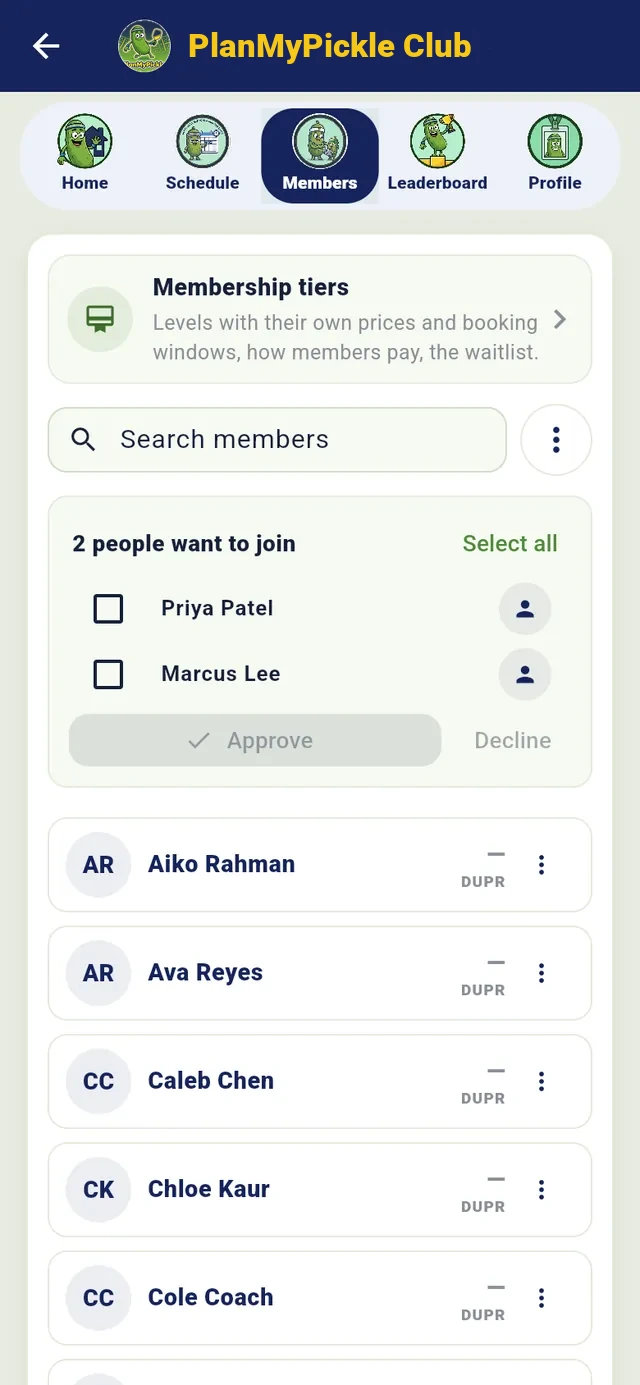
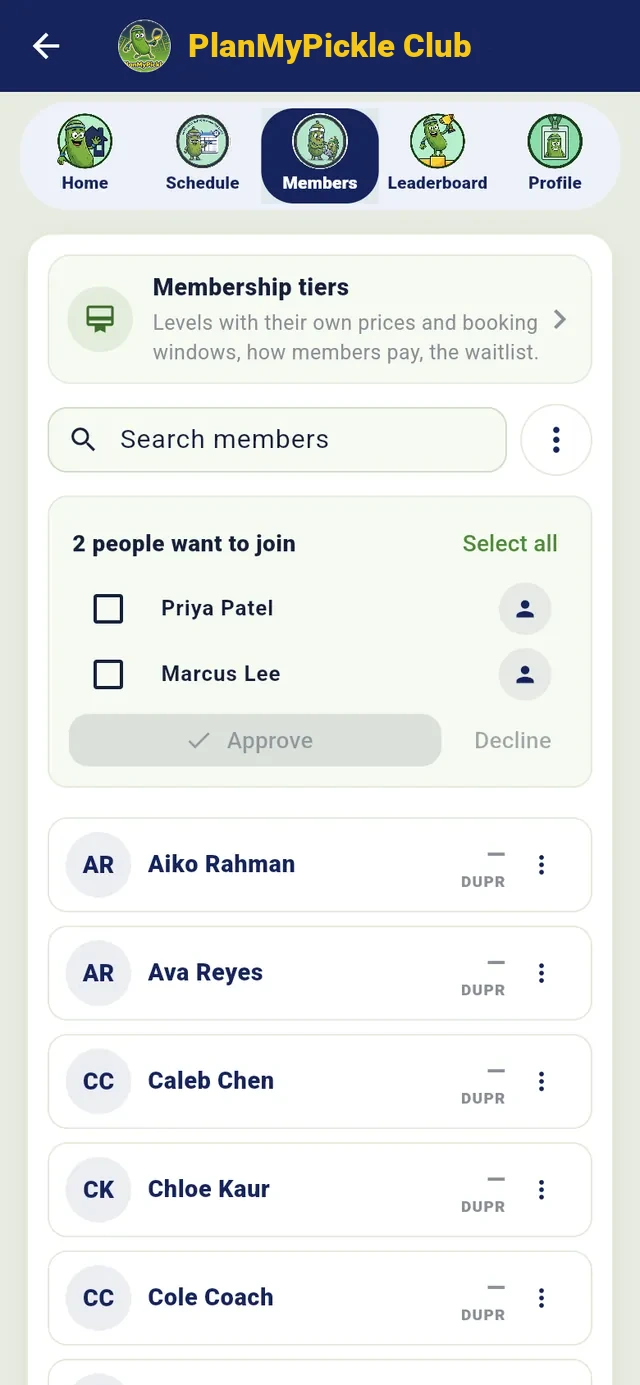
- Join requests. Each request waits at the top of Members with Approve and Decline, or switch on Approve join requests automatically and public-club joiners are in at once. Someone you invited never waits in the queue.
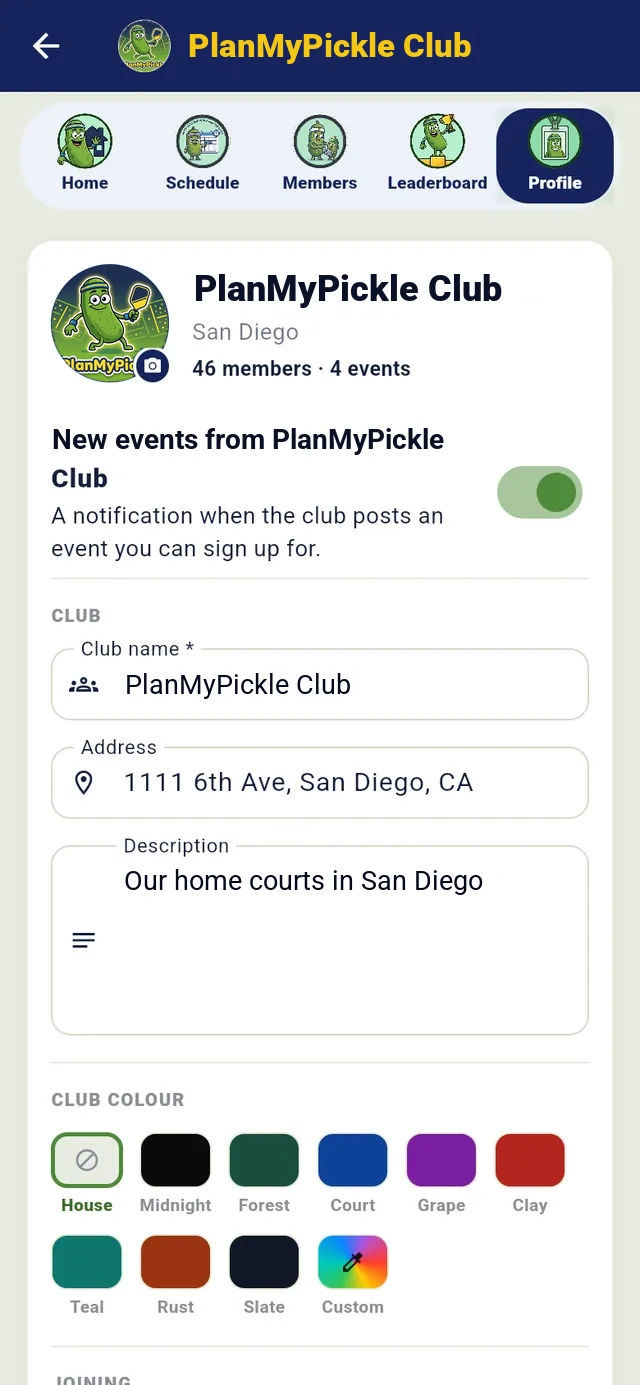
Profile: name, address, colour, logo
planmypickle.com/club/…
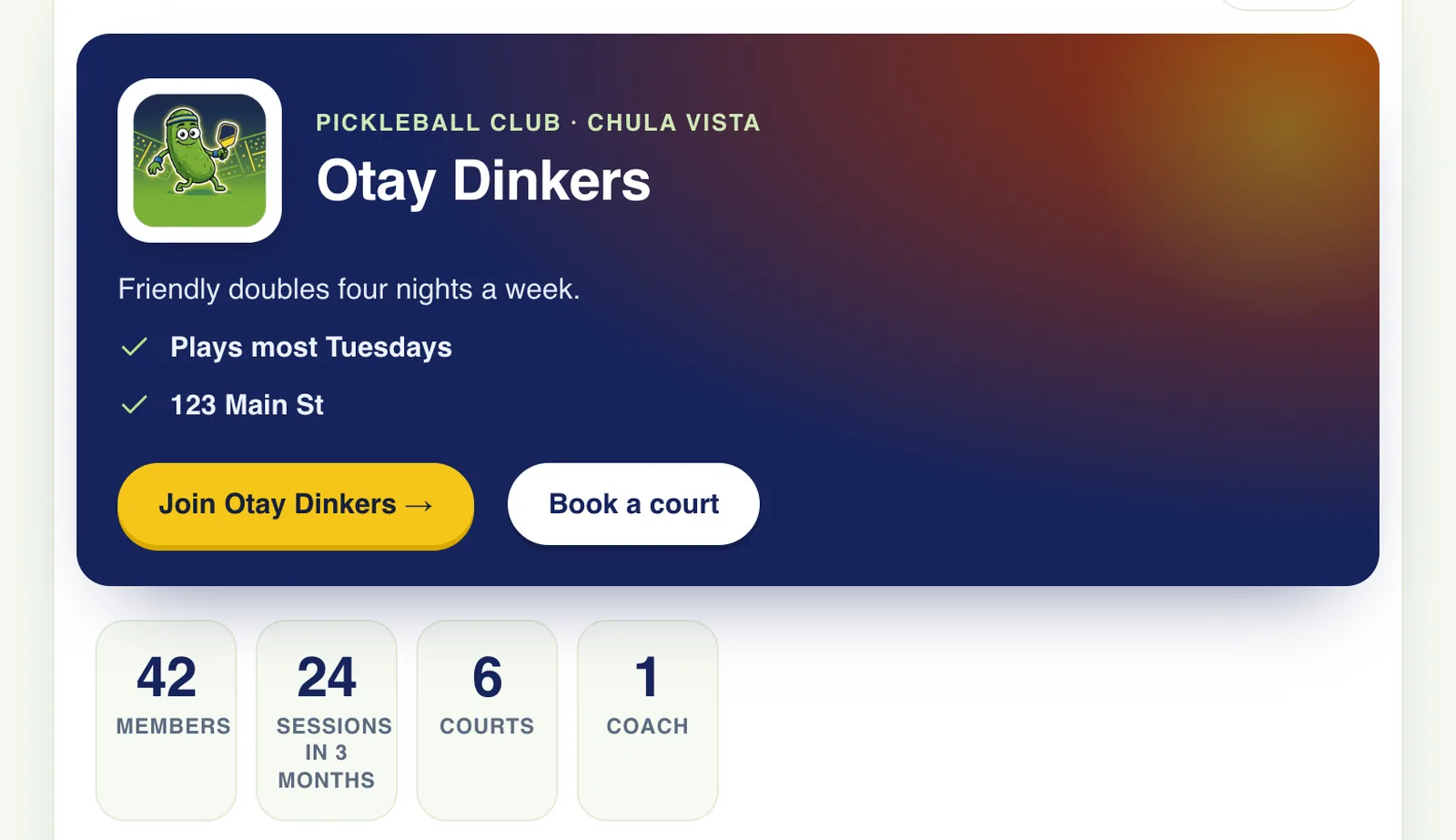
The public page: what makes someone want to join, and nothing about who already did
DUPR: link your DUPR club, bring your members over Every club
Profile → DUPR club ID · Home → Ready for today
- Put your DUPR club ID in the Profile. Verification is automatic when DUPR lists you as the club’s Organizer or Director; from then on your events say “Counts for your club on DUPR” and results go to DUPR as your club’s matches.
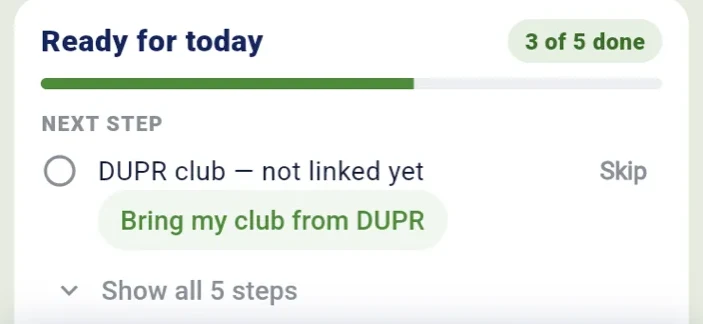
- Bring my club from DUPR: paste your DUPR club link. Members who connected DUPR join with their ratings; everyone else gets a join link and joins the moment they connect. Run it again and only new people are added. No ID is ever typed by hand.
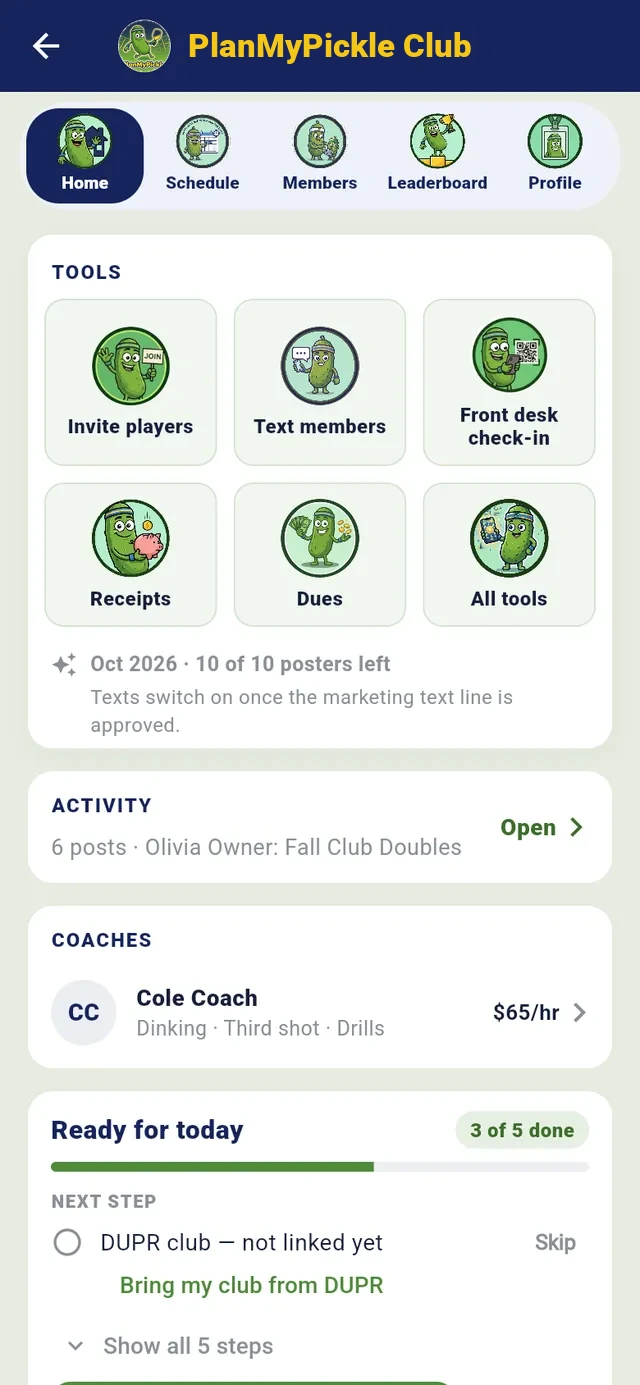
- Ready for today sits on the club’s Home and shows what’s left before your first sanctioned event: courts, members, the DUPR link, who has connected DUPR, payouts, and a button that creates the event with the club’s defaults filled in.
Ready for today, on the club’s Home

Get members in, and keep the roster straight
Three doors: an invitation, the club’s link or QR, or a request the club approves. Each one is checked on the server, so a private club stays private and an invited person never waits.
Invite players by name, email or phone Every club
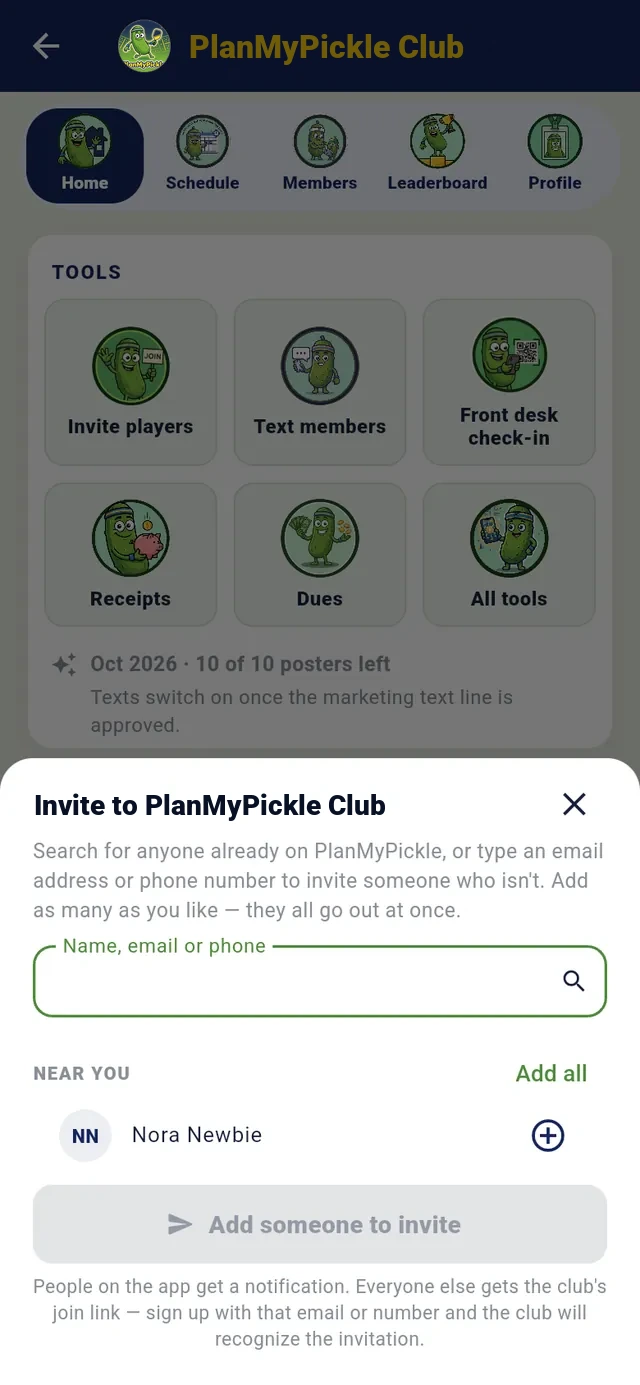
Home → Invite players · All tools → Share join link · the top of Members
- One box: name, email or phone. A name finds people already on PlanMyPickle (the sheet also suggests people you’ve played with and players near you) and sends them a push. An email sends the join link by email; a phone number sends it by text. Up to 50 at once, and the sheet says how many were notified, emailed and texted.
- The join link and QR go in a group chat or on the wall at the courts. Anyone with it can see the club and ask to join.
- The invitation is remembered: when the person signs in with that email or number and taps Join, they’re in at once, in a private club too.
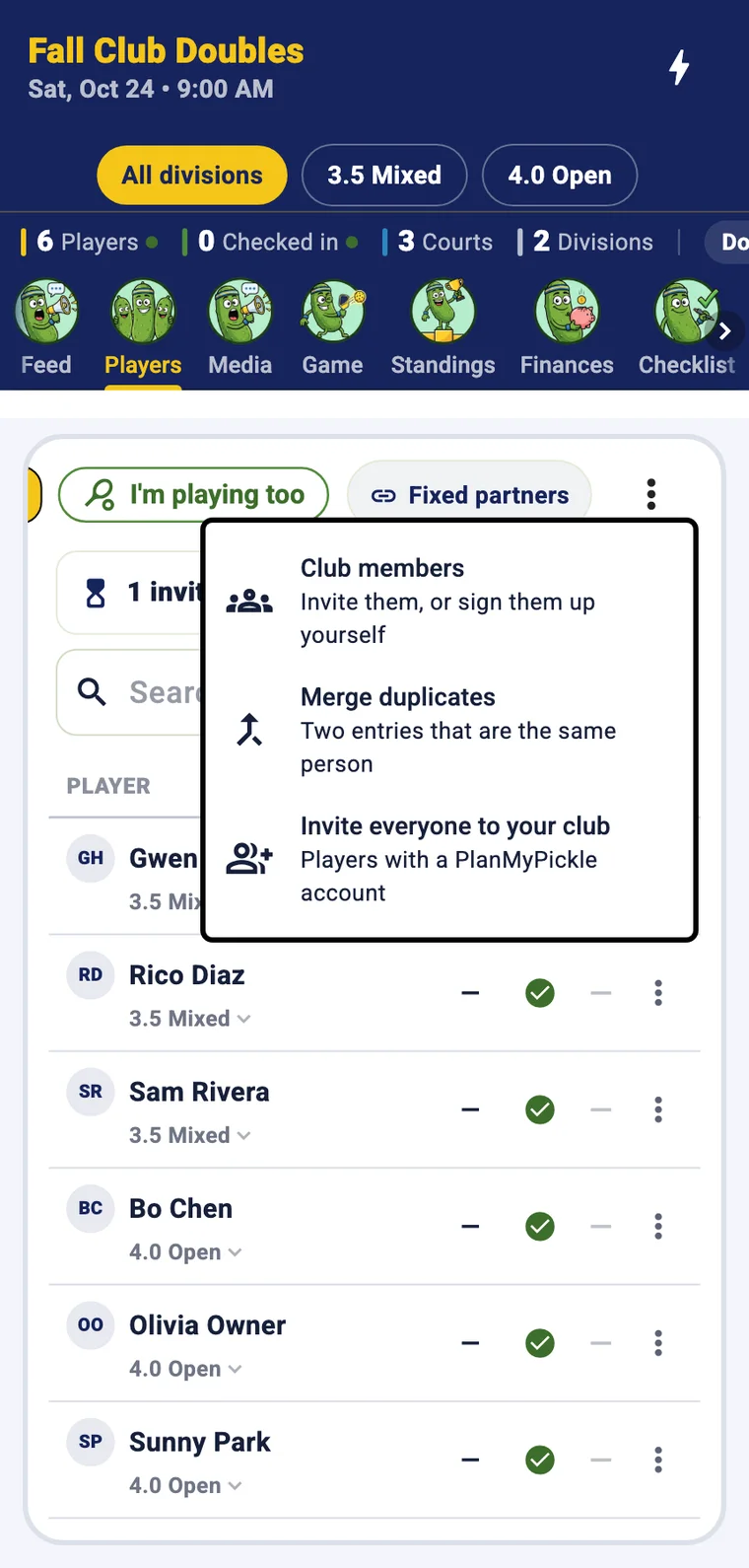
- From an event: Players → ⋮ → Invite everyone to your club adds an event’s players in one tap. Roster import and export as CSV.
Requests wait at the top of Members
Owner, co-owner, coach, front desk, member Every club
Members → a member’s ⋮
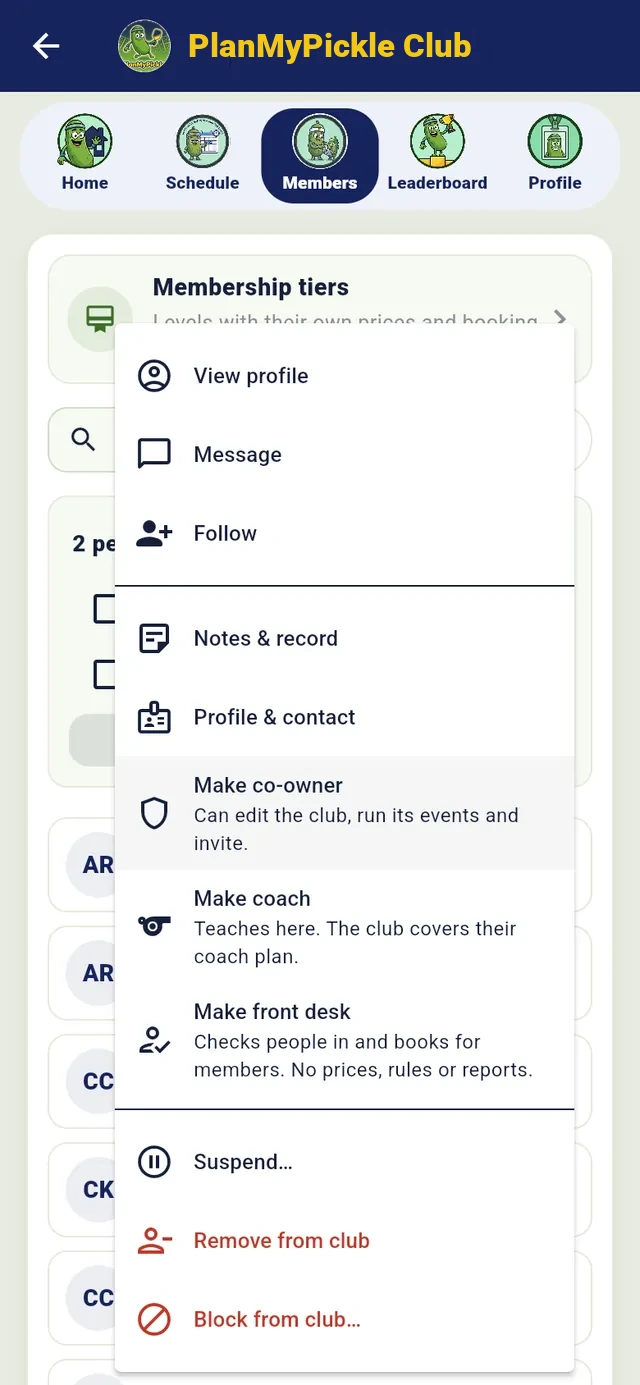
- Five roles, each checked on the server at every tap. The owner holds the plan and the payouts; co-owners run the club with them; a coach teaches on a club seat; the front desk checks people in, books for members and guests and sells at the shop, with no prices, rules or reports; members book, join and sign up, and never see other members’ details.
- The member file: staff notes and flags (Owes money, Warning, VIP), no-shows, cancellations and the reasons they gave. Members never see it, and no other club can.
- Suspend for 3 to 30 days, remove, or block so they can’t ask, be invited or use the link. Staff activity logs who on the staff did what; the People report ranks members by most active, least active, top spenders or no-shows, with a CSV.
- Handing the club over: the new owner connects their own payouts and plan, accepts, and at the end of the business day the club is theirs.
A member’s ⋮ menu, as the owner sees it

Memberships and dues
A tier is a level of membership with its own price, billing and booking rules. Members buy one in the app by card, or the club collects and marks them paid. Dues are the simpler thing: an amount for the season and a paid-up list.
Membership tiers, paid online, with a waitlist when one fills Club+
Members → Membership tiers
- Add a tier: a name, what members get, a price, billed monthly, yearly, once or free. Under it, the booking rules for people on this tier: how far ahead, bookings a day and a week, the court fee and prime-time fee per hour (a $0 tier is how a club gives members free play), free guests a month, and a capacity.
- How members pay: by card here (monthly and yearly tiers renew on their own, to the club’s own Stripe account, a receipt every time) or the club collects it and marks people on the tier.
- A full tier keeps a waitlist. When a spot opens, the first in line gets a notification and an email and a claim window you set, 24 hours to a week; then it goes to the next person.
- Members switch, pause or cancel from their own membership card; what’s left of the old tier comes off the new one. Household memberships cover a family on one price. A refund is a couple of taps from the payment’s receipt.
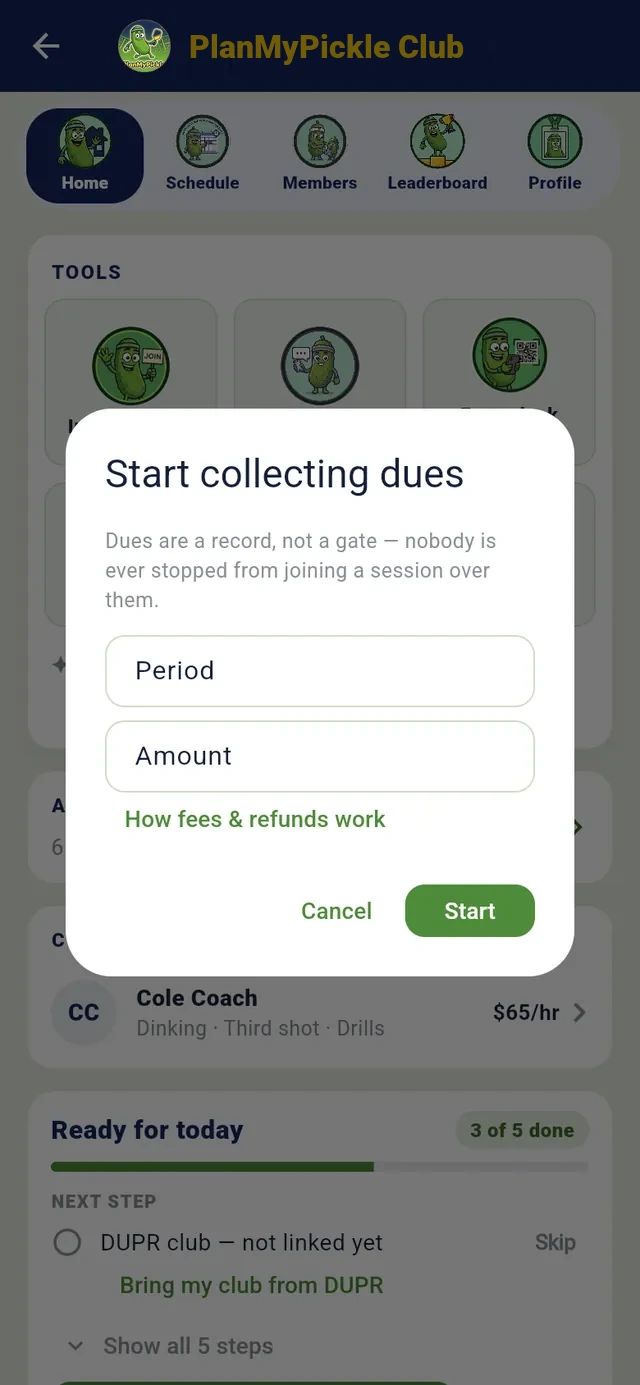
Dues: one amount a season Every club
Membership · PlanMyPickle Club
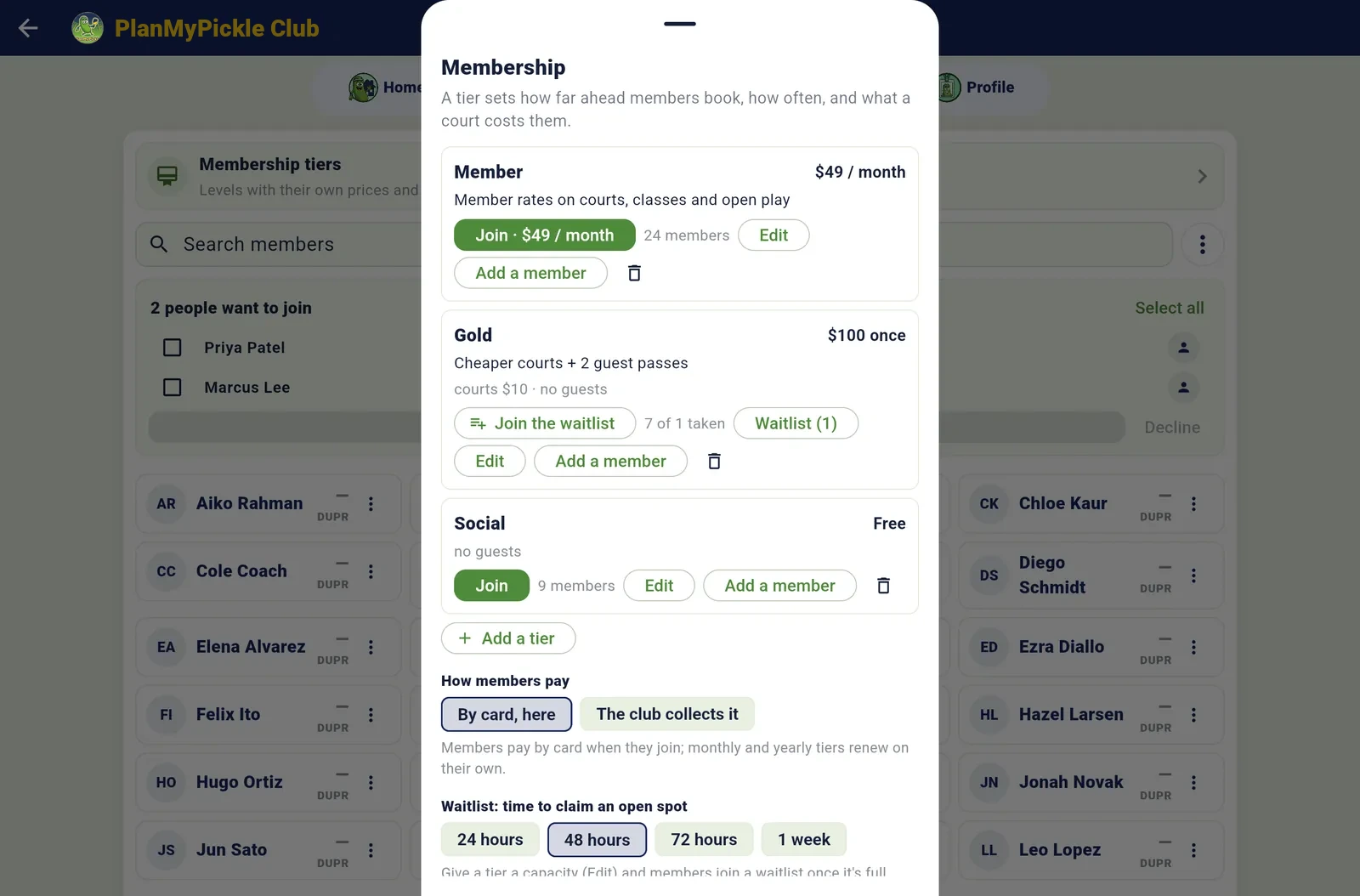
Tiers, how members pay, and the waitlist’s claim window

Courts
Court booking is the heart of Club+. The club sets up its courts, prices and rules once; members and guests book inside those rules and pay by card, and the calendar, the front desk, the receipts and the reports all read from the same bookings.
Before opening day: set the courts up, once Club+
All tools → Courts → Options · about ten minutes
- Add your courts: a name, indoor or outdoor, lights, surface, a price per hour with member and guest rates, and whether it’s members-only (then it never shows on the public page). One tennis court can be combined as two pickleball courts.
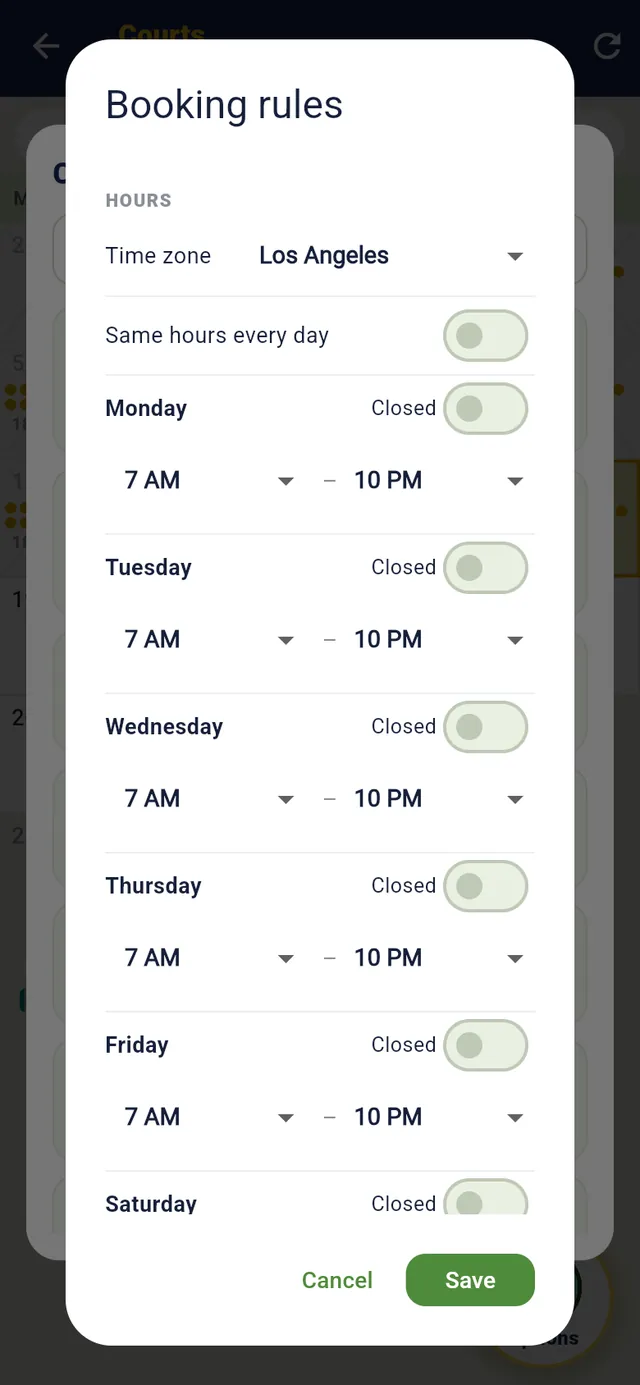
- Booking rules: hours per weekday, start times every 15 or 30 minutes or on the hour, the shortest and longest booking, how far ahead members and guests book, bookings a day and a week, the cancellation window, the late-cancel fee and the no-show limit. A line under each setting says what members will see.
- Prime-time prices for the busy bands: weekday evenings, weekend mornings, with a price per tier if you like. Quotes, checkout and receipts price by the minute.
- Closed dates are a tap for the coming holidays; blocks and event holds take courts off the calendar for a clinic or a league night.
- Coming from another system? Drop in the export (a CourtReserve export works as is) and your courts, membership types, booking rules and upcoming bookings come over, shown before they’re applied.
Booking rules: hours, start times, how far ahead
Then members and guests book Club+
Members: Play → Courts · Guests: planmypickle.com/c/your-club · Staff: Courts → Book a time
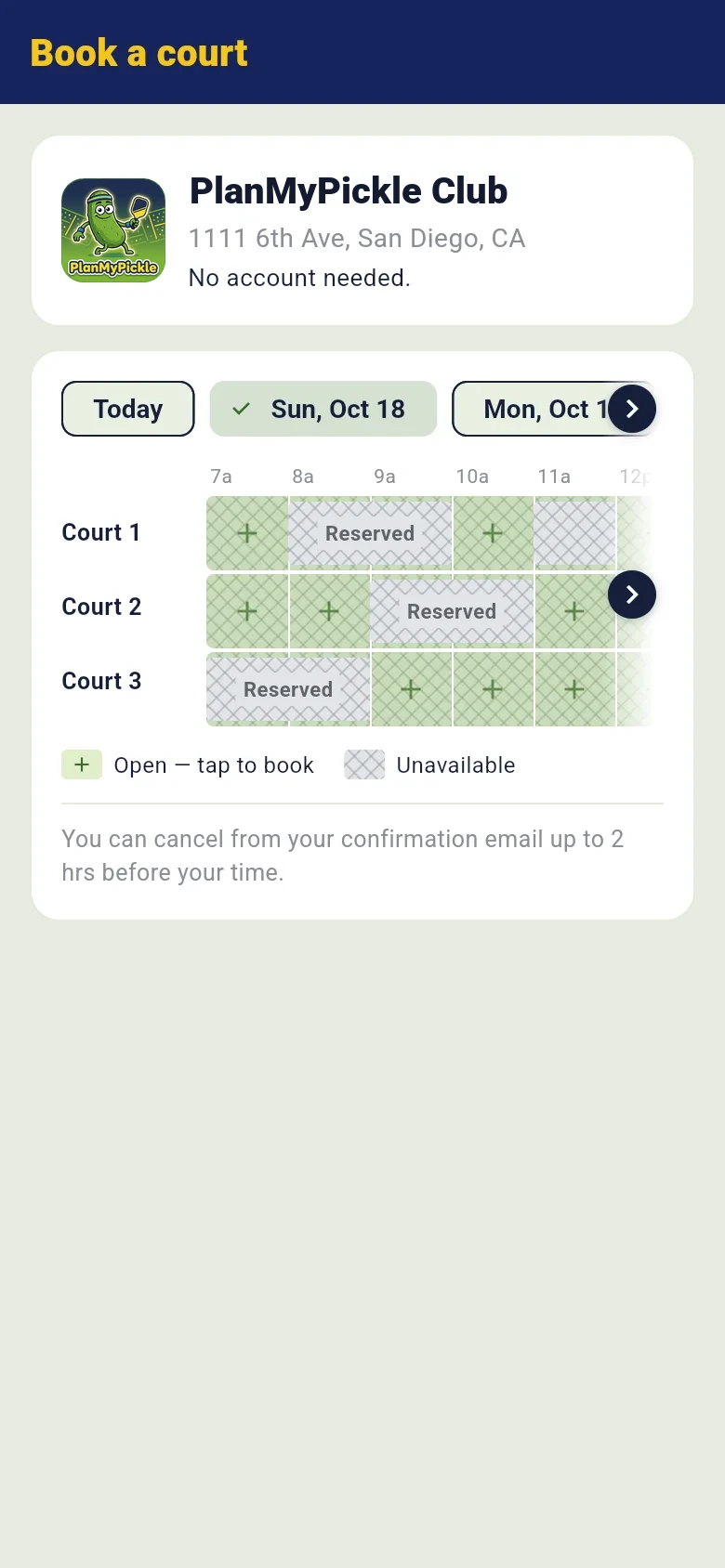
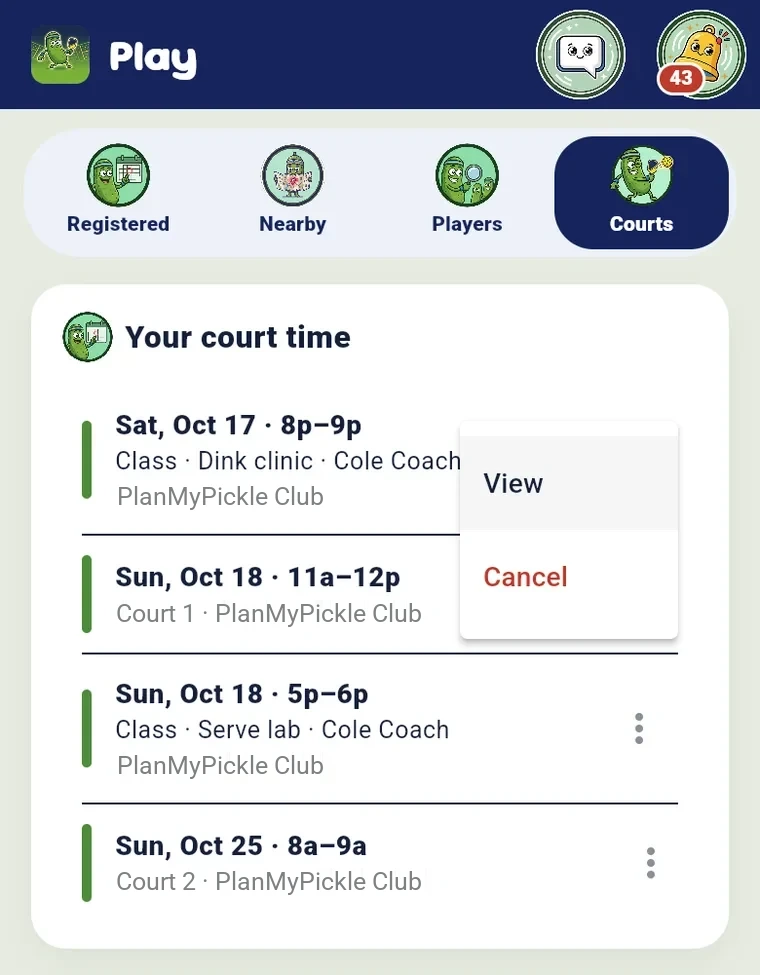
- A member taps a free time on the grid: green is open, hatched is taken. The form opens with the court and the hour filled in; they add who they’re playing with or leave spots open, repeat it weekly if they like, see the price, and book.
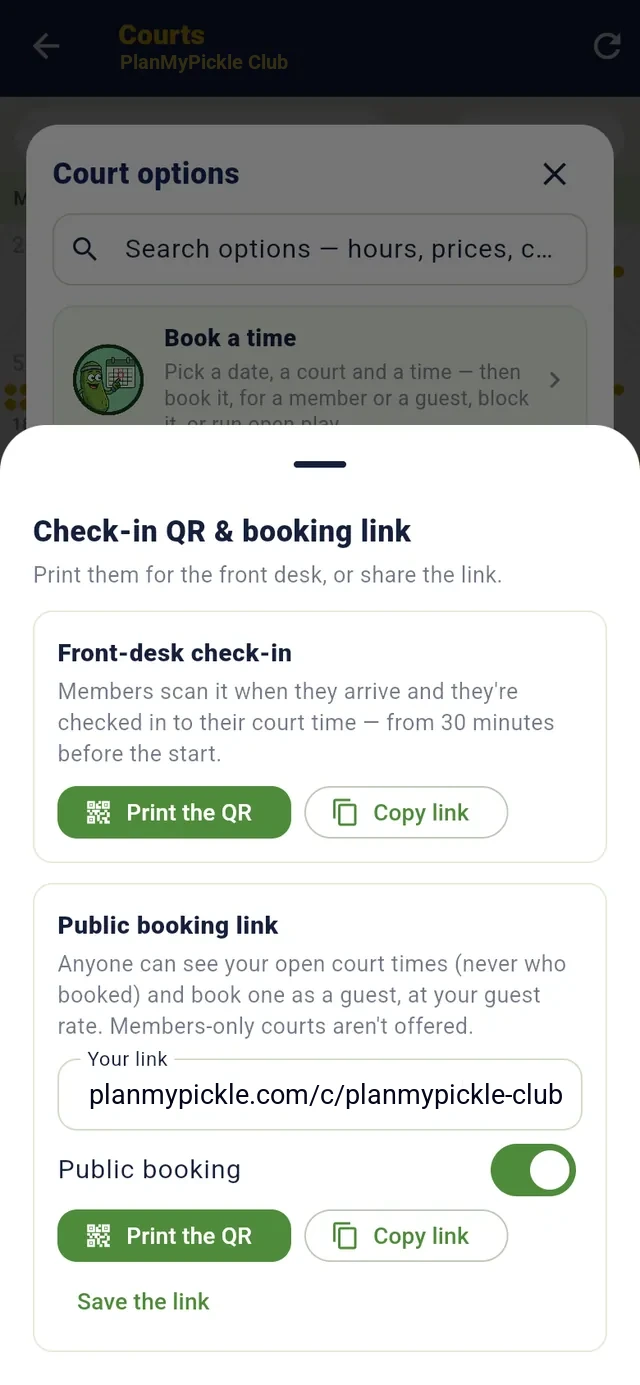
- A guest books from your public page, no app and no account: the same grid at the guest price, a name and an email, and a card. Switch public booking on and the link and its QR are yours to put on your website or at the gate.
- Paying: one card, or split pay where each player pays their own share at their own rate; a prepaid package of hours pays by itself; a promo code is typed at checkout. The card processing fee is its own line, so the club receives the full price.
- Standing bookings repeat every week and skip closed dates. A full day keeps a waitlist; a booker with room opens spots; Open a match by DUPR level pings members whose rating fits.
- Arriving: members scan the desk QR to check in from 30 minutes before; a door code (one code, a new one daily, or one per booking) shows in the app just before their time. Their court time syncs to Google, Apple or Outlook calendars.
A guest books, no account
The booking link and the check-in QR
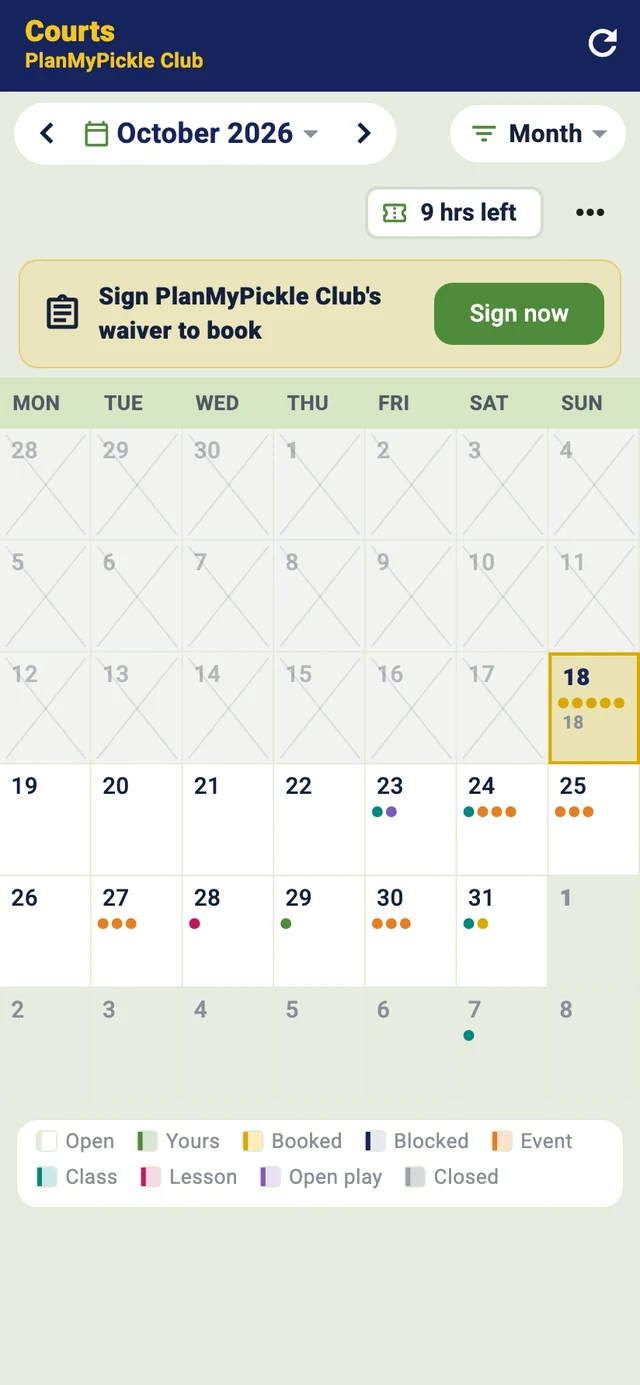
Courts · Day · Sun, Oct 18
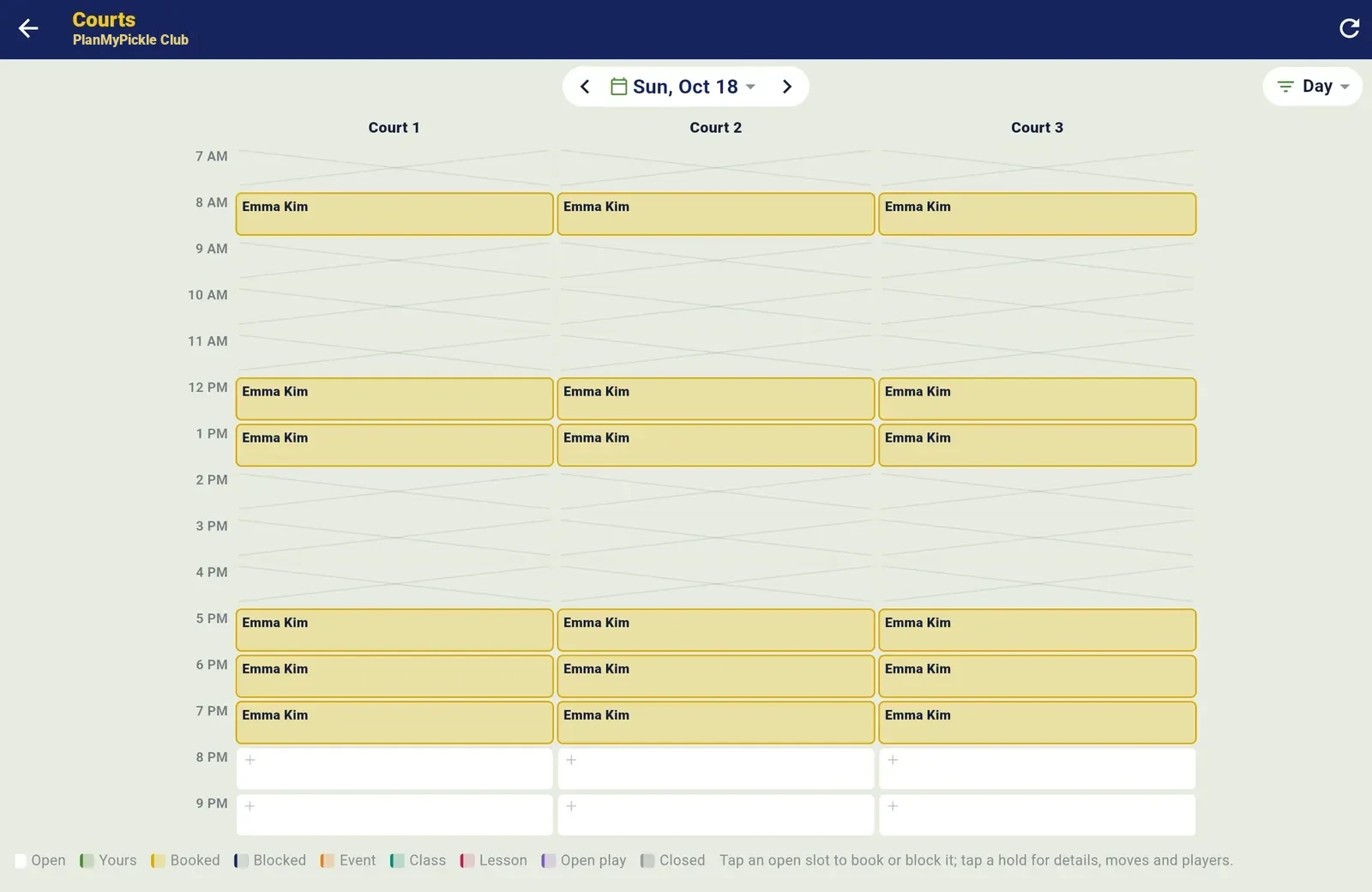
The Day view: tap a plus to book it, tap a booking for its card

Open play, the front desk and the wall
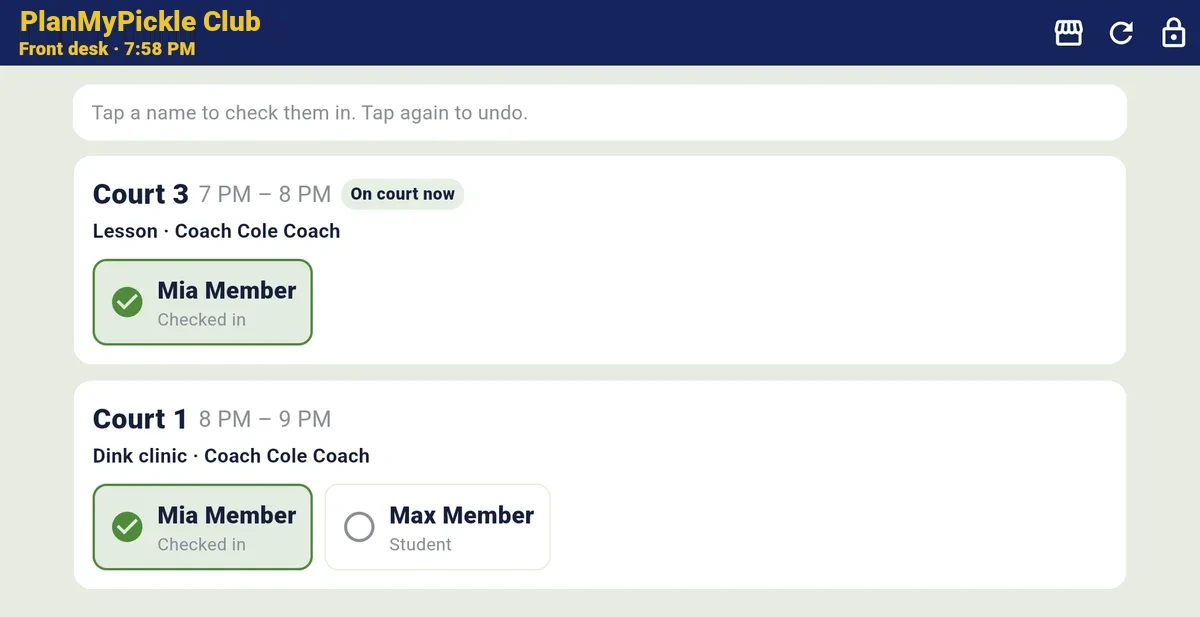
A tablet at the door replaces the clipboard. Staff tap a name to check someone in; the same screen shows every court, class and open play within the hour, and no-shows are counted for you.
An evening at the club Club+
Book a time → Open play · Home → Front desk check-in · All tools → Courts TV
- Post open play for 6 to 8: the courts, the spots, a price or free, a level or a note, weekly if you like. Non-members can pay their own price for a spot, or you keep it members-only. A paid spot is paid when they sign up; when it’s full, a waitlist forms.
- Check-in. Players check themselves in from 30 minutes before, from the QR or their phone; the desk checks anyone in from an hour before. Once it has started, staff mark anyone who didn’t come as a no-show, and it goes on their record.
- The front desk screen opens with a 4-digit PIN and stays on check-in, so a tablet can sit at the door signed in as the club. It lists everyone on court within the hour, grouped by court; a player who hasn’t signed the waiver shows a chip with Sign here, Text the waiver link or Mark signed on paper.
- The desk books for a member or a guest and picks how they pay: paid at the desk, a pay link that holds the court until they pay, or no charge. Nothing is booked unpaid.
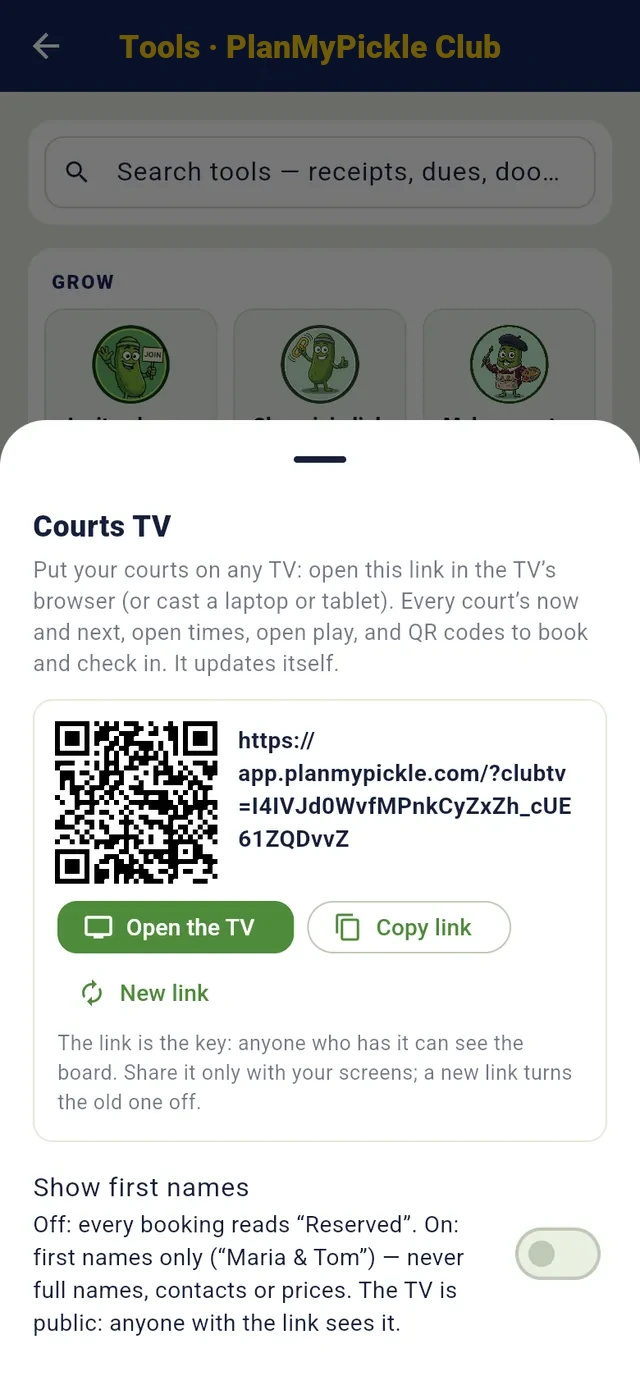
- Courts TV on the wall: what’s on now and until when on every court, what’s next, today’s open times, open play with who’s checked in, and QR codes to book and check in. In your colour, with your logo, first names only if you switch them on.
Courts TV, set up from a phone
Open play · Morning open play
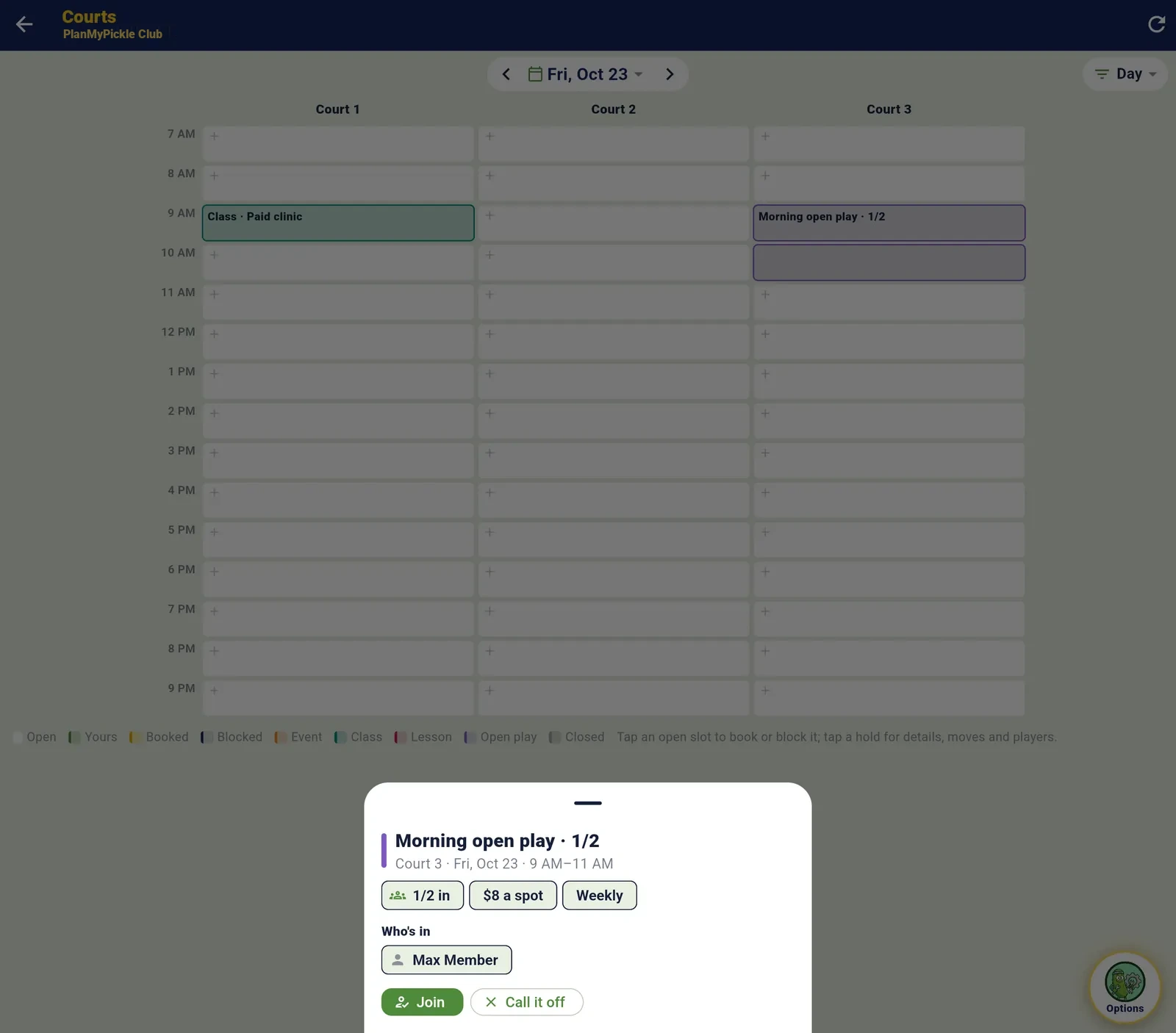
An open-play session: spots, who signed up, check-in and no-shows
The front desk: everyone on court within the hour, tap a name to check them in

Coaches
Your instructors run classes and lessons on your courts with PlanMyPickle’s coaching tools, on a seat the club pays for. You see what they’re doing and set the rules.
Coach seats Club and rules for coaches Club+
Members → ⋮ → Make coach · Coach tab → Coaching staff → Rules for coaches
- Make a member a coach and the club’s plan covers them for as many students as they like. Their page shows students, classes held, drills and a 30-day activity chart; never their notes or messages.
- A court fee for coaching: so much per court per hour of class or lesson time on your courts. On the first of every month each coach gets one of your invoices for the month before, by email with a Pay link.
- A member price for classes: 5% to 30% off any class at your club, taken off when a member signs up. Everyone else pays the coach’s price.
- Your OK first: a coach’s new class or lesson time waits for an owner or co-owner. Its court is held as Pending, the request shows at the top of the club’s Home, and the coach is told either way.
- Class day: the class holds its court on the calendar, students check in at the desk, and the coach is paid to their own Stripe account.
Classes hold their courts
Coaching staff · Cole Coach
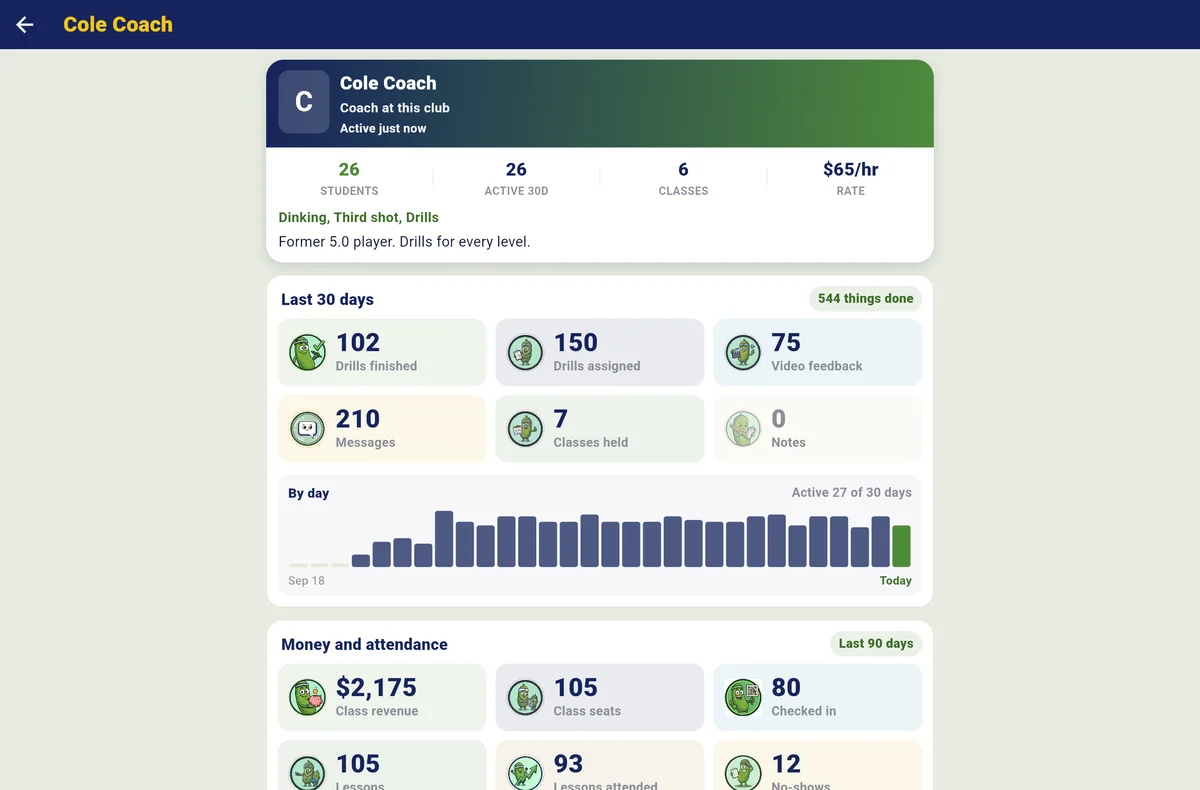
What the club sees of a coach: students, classes held, activity, never their notes
Money
Every payment goes straight to the club’s own Stripe account. PlanMyPickle takes nothing out of court bookings, memberships, open play, lessons or pro-shop sales; the card processing fee is its own line at checkout, and every payment and refund writes a receipt.
Payouts Every club · receipts, invoices, house accounts and the shop Club+
You → Payments → Connect Stripe payouts · Home → Receipts · All tools → Invoices · House accounts · Pro shop
- Connect payouts once: Stripe’s setup takes about three minutes, the club’s details and a US bank account. From then on every court, membership, spot, package, invoice and shop sale is paid to the club’s bank. PlanMyPickle never sees card numbers.
- Receipts: every payment, refund and package sale with a number, searchable, each with a PDF, emailed by themselves and re-sendable to an accounts team. Refund from the receipt.
- Invoices for a company, a school or a member: lines, a due date, a note, paid from a link by card with no account, or marked paid by check. Overdue ones get three reminders. Coach court fees arrive as these every month.
- House accounts: a credit limit, a statement day and payment terms; members charge court time, guest fees and the shop to their account and get a monthly statement. Over the limit or past due, new charges wait.
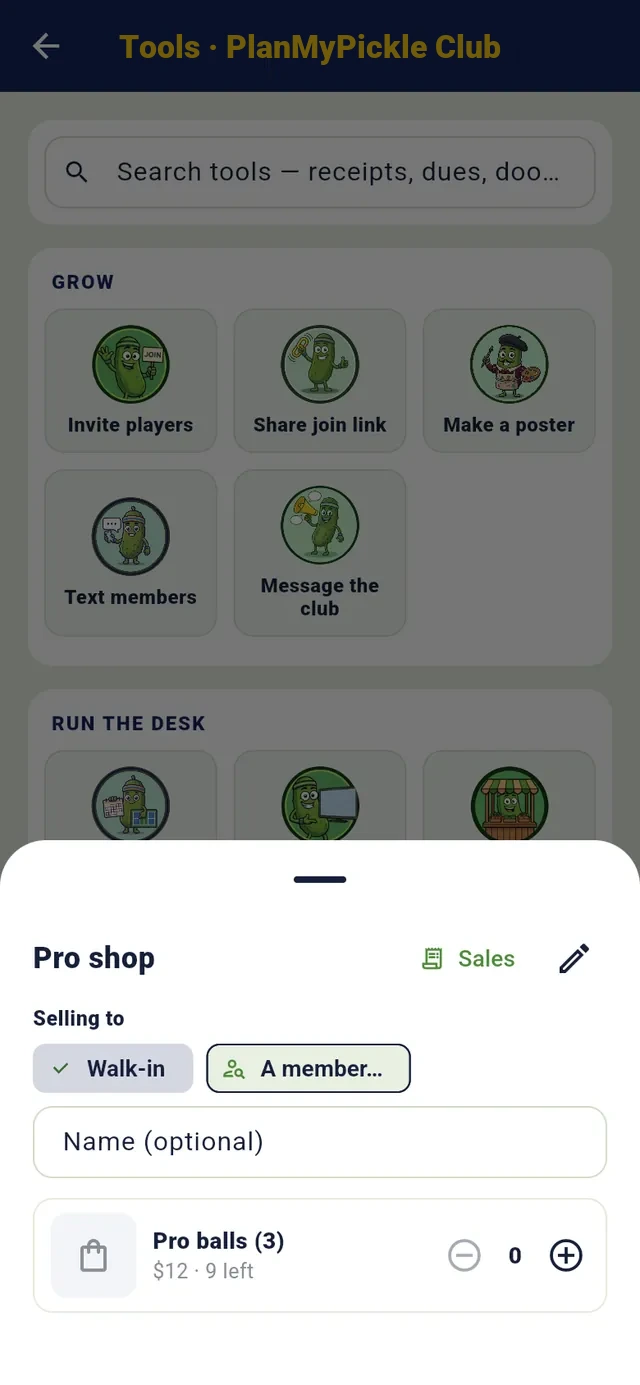
- The pro shop at the desk: balls, paddles, grips with stock, sold to a walk-in or a member, paid by card, at the desk or on the house account. Rentals ride on a booking.
House accounts
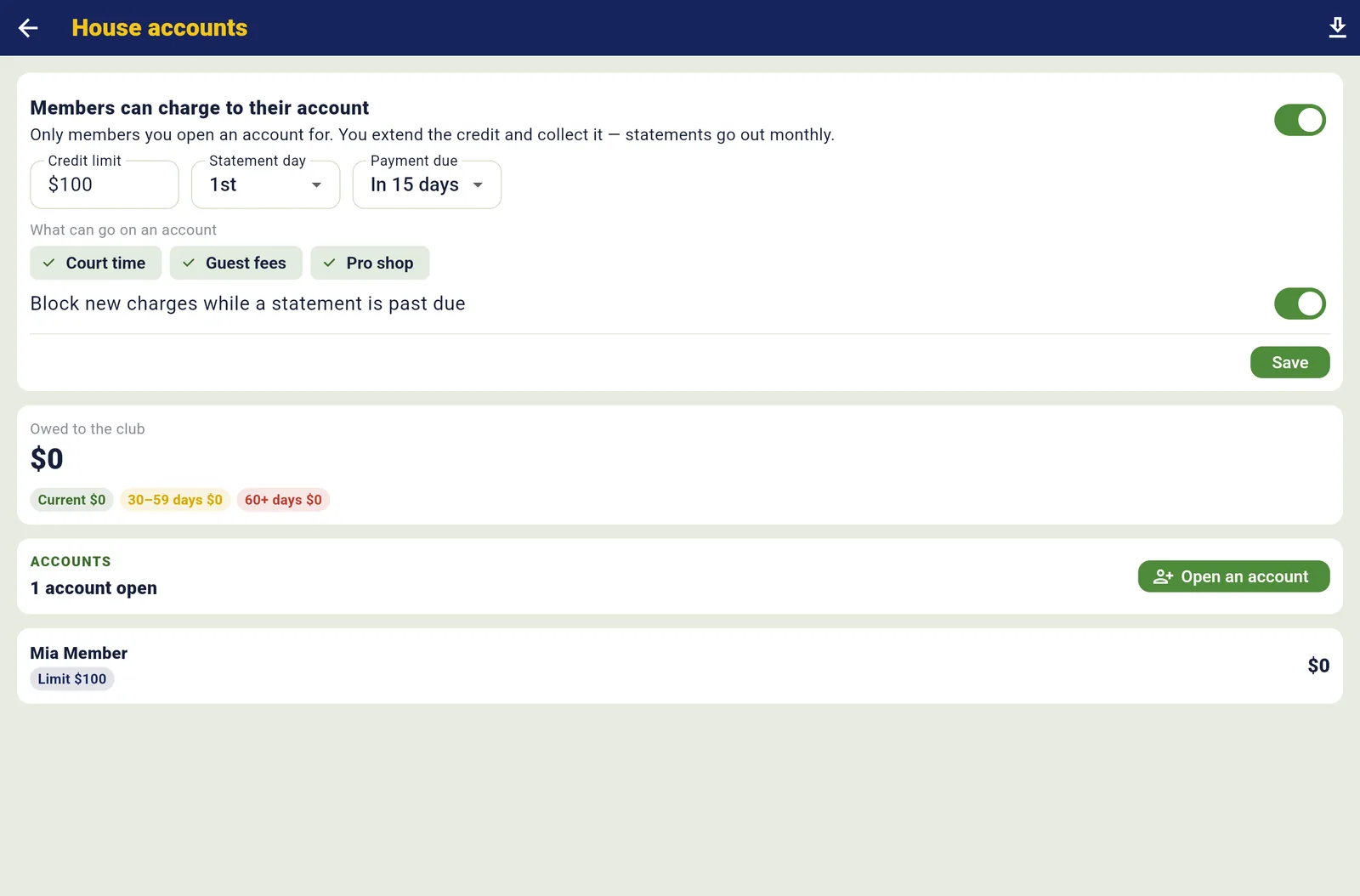
House accounts on the first of the month

Reaching members
A note to the club reaches every member as a push. On the Club plan, texts, email campaigns and AI posters come with it, with the month’s counts under the Tools card.
Pushes Every club · texts, email campaigns and posters Club
Home → Text members · All tools → Message the club · Email campaigns · Make a poster
- Message the club and every member gets a bell and a push; it sits in the club’s feed, where members like, comment and @-mention. Publish a club event and every member gets a push, once per event.
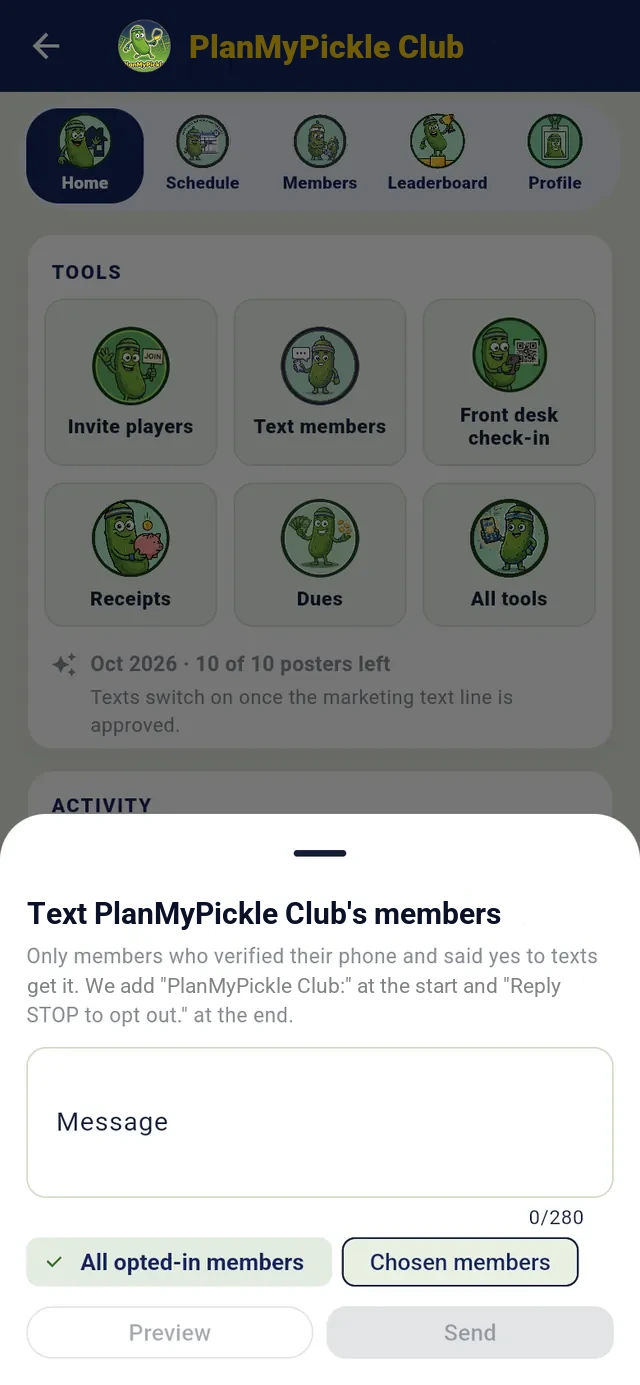
- Text members: everyone, one tier, the players in one event, or people you pick. Only members who verified their phone and said yes get it; daytime only, with Reply STOP on every one. 500 texts a month on Club, more at $15 for 500.
- Email campaigns: 28 templates in seven groups (welcome, win-back, league sign-ups, holiday hours, dues reminder, meet a new coach and more) or your own blocks; pick the audience (a tier, who’s drifting away, who never played, a DUPR range, unpaid dues); send now or schedule; read opens and clicks as totals. 5,000 emails a month.
- AI posters: ten a month for the whole club, shared by its staff, from the event’s name, date, place and the club’s logo and colour.
New campaign · Content
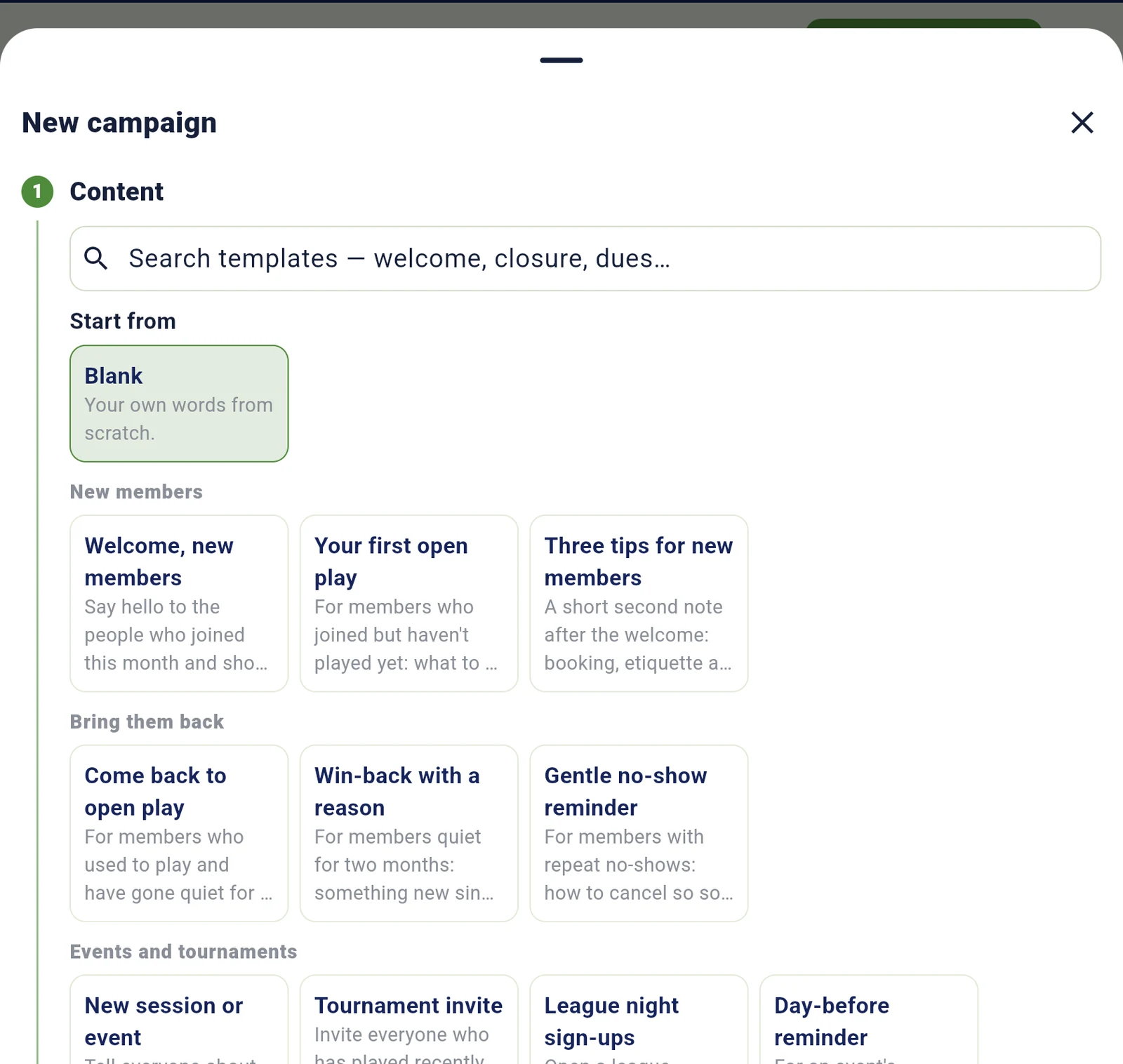
Email campaigns: 28 templates, each with its audience filled in

Club events, and DUPR results that count
Every tournament, round robin, league night and ladder the club runs lives on its Schedule, is filled from its roster, and runs on the full PlanMyPickle event engine, which is free. The Club plan puts your branding and the crew on every one.
The full show on every event Club · invites and DUPR Every club
Organize → New event, tied to the club · the event’s Players → ⋮ → Club members · Results & DUPR
- Create the event and pick the club and it’s on the club’s Schedule and public page. Entry fees go to the club in full; the player pays the card fee and, once billing turns on, a 2% service fee, as their own lines. Registration, QR check-in, draws, courtside scoring, live boards, standings and medals are free.
- On Club, every event the club runs gets the full show: no PlanMyPickle branding, your colours on the scoreboard, the broadcast overlay, text court calls and the crew on the TV. Co-owners’ events too.
- Invite members in a tap: Select all or pick people, then Invite them or Sign them up yourself. Already registered and already invited members are greyed out.
- DUPR: players connect their own DUPR account (nobody types an ID), their rating seeds the draw, and when a division is final, Import to DUPR sends every match as your club’s own. A sanction-ready CSV and a signed PDF come with every sanctioned event.
- The all-time leaderboard builds itself from club events: every player’s record across everything the club has ever run, with share pictures in the club’s style.
Players → ⋮ → Club members
Read the month in one screen
The club Dashboard on the web, for the owner and co-owners only, against the period before. Every number is written out and every block has a CSV.
The Dashboard Every club · court reports and Who’s still coming Club+
All tools → Dashboard · Court reports · Who’s still coming
- The KPI strip: roster, active memberships, MRR, net revenue, bookings and court use, each with its change and a sparkline.
- Where the money goes: from what players paid, less card fees and sales tax, to taken in, less refunds, to what you keep. By source: courts, memberships, packages, open play, invoices, event entries and the shop.
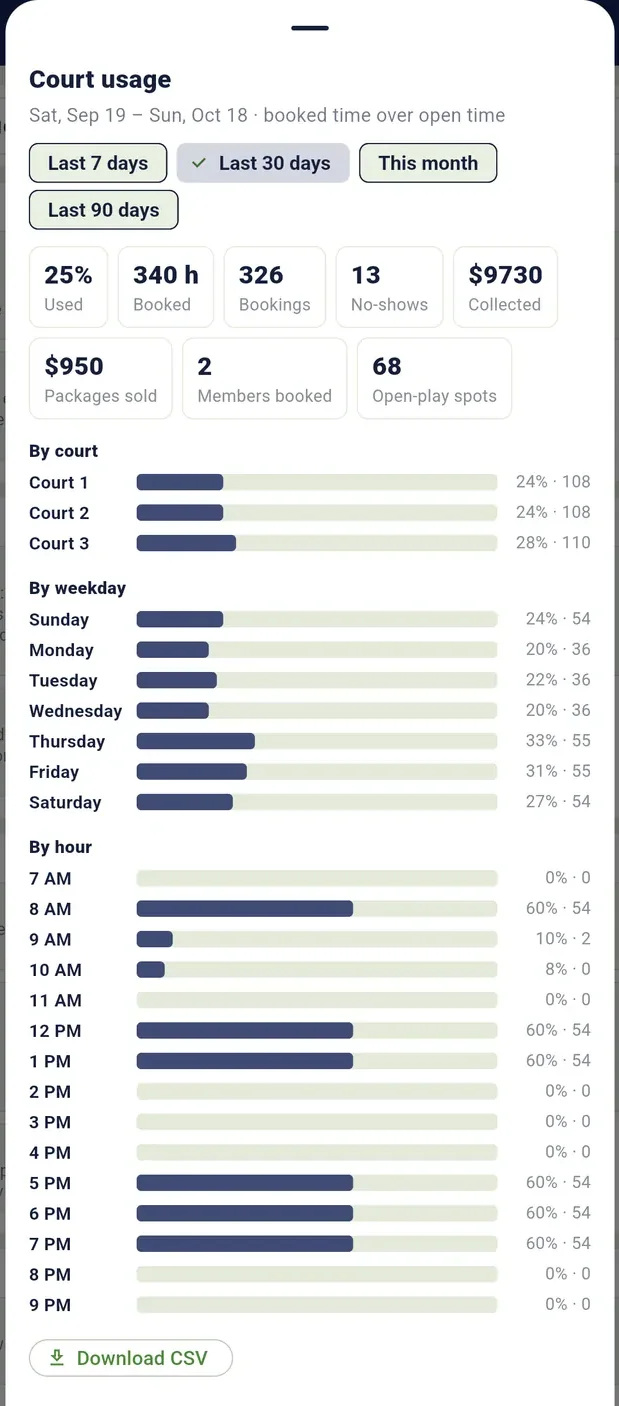
- Members: churn, net growth and joins, active memberships by tier, retention by join month. Courts: no-shows, open-play fill, use by court and by hour, and a weekday-by-hour heat grid of when the courts are busy.
- Court usage over the last 30 days with a CSV, and Who’s still coming: who keeps showing up over the last eight sessions, and who joined but never played.
Court usage, by court, weekday and hour
Dashboard · PlanMyPickle Club
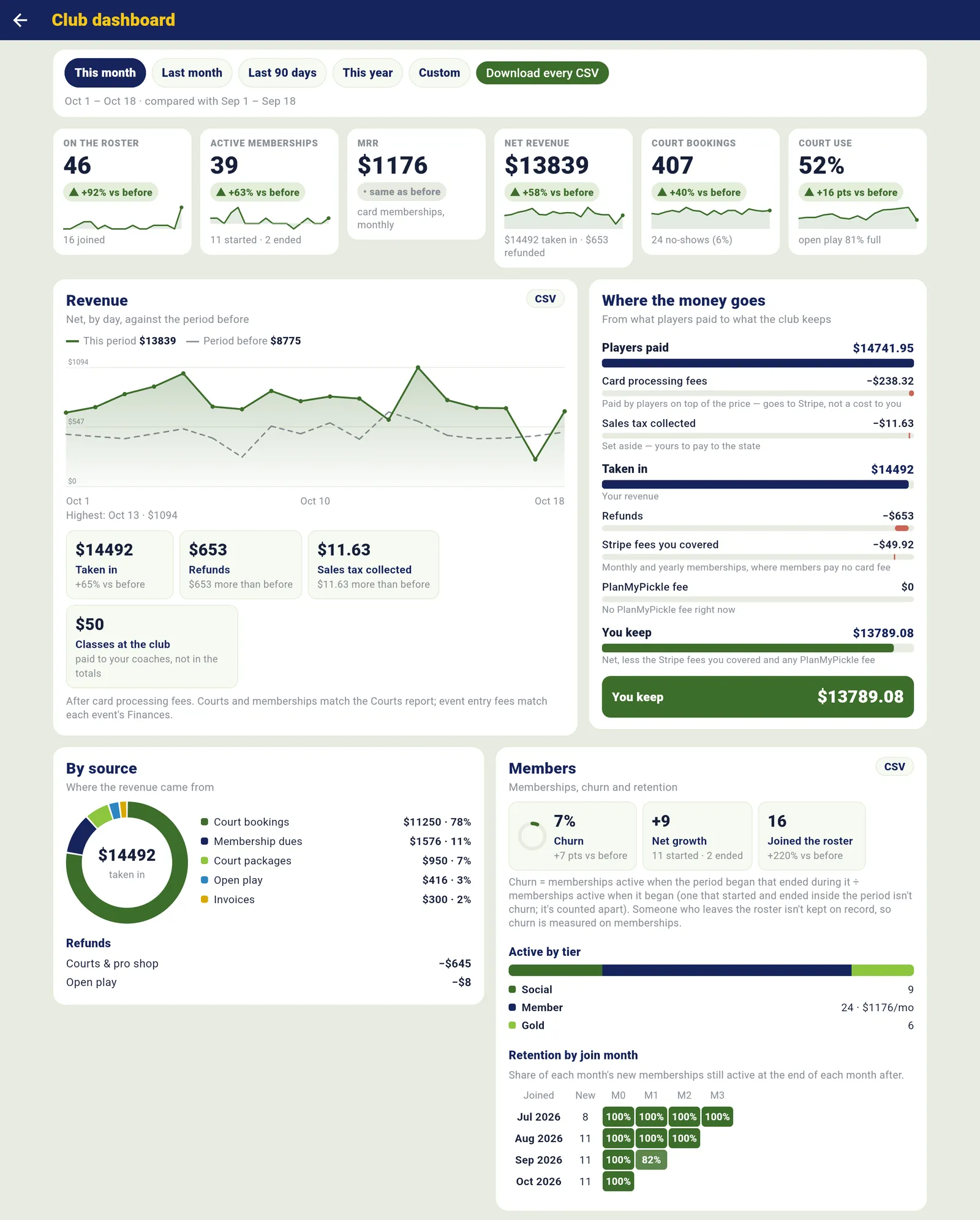
The month, read in one screen
Your club isn’t public. Your members stay yours.
The people who join your club are visible to you and your staff, and to nobody else on the app: no other club, coach or company can see them, message them or export them, and we never sell or share your list. Your public page shows events, counts and open court time, never the member list.
Running a club is free, on any plan. Club ($69/mo) adds your branding and the crew on every club event, texts, email campaigns and posters. Club+ ($159/mo) runs your courts, memberships, open play, the desk and the money too. Both start with 3 months free: $0 today, cancel any time in the trial. See the club plans.